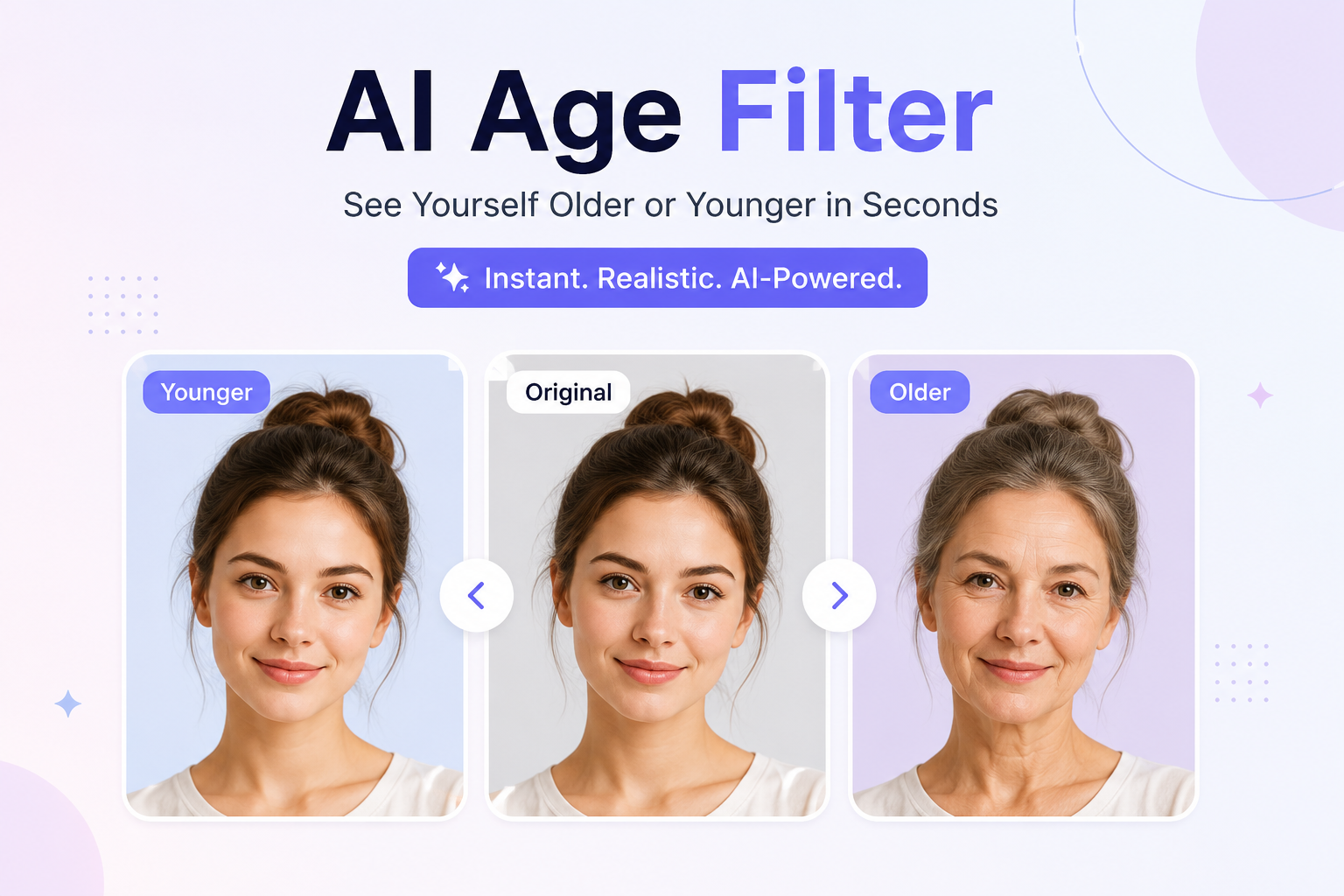
AI Age Filter Online Free: Transform Your Photos into Older or Younger Versions Instantly
Have You Ever Wondered What You’ll Look Like in the Future?
Have you ever looked in the mirror and wondered how you’ll look in 20, 30, or even 40 years? Or maybe you’ve thought about what your childhood face would look like if you could recreate it today. It’s a question almost everyone has asked at some point.
Thanks to artificial intelligence, you don’t have to rely on your imagination anymore. An AI Age Filter can transform your photo in just a few seconds, showing a realistic older or younger version of your face. What once required advanced photo editing software and hours of manual work can now be done with just a few clicks.
AI-powered image editing has changed the way people interact with photos. From enhancing portraits to generating artistic effects, artificial intelligence is making professional-quality editing accessible to everyone. Among these innovations, age transformation has become one of the most popular features because it’s fun, creative, and surprisingly realistic.
Whether you’re curious about your future appearance, creating entertaining social media content, or simply experimenting with AI technology, an AI Age Filter provides an easy and enjoyable experience.
In this guide, you’ll learn what an AI Age Filter is, how it works, why millions of people use it, and how to get the most realistic results from your photos.
What Is an AI Age Filter?
An AI Age Filter is an online tool that uses artificial intelligence to change the apparent age of a person in a photo. It can make someone appear significantly older or much younger while keeping their facial identity recognizable.
Instead of manually editing facial details such as wrinkles, skin texture, hair color, or facial shape, the AI analyzes your portrait and automatically creates a natural-looking transformation.
The entire process usually takes only a few seconds.
Unlike traditional photo editing software, you don’t need any design skills or experience. Simply upload your photo, let the AI process the image, and download the transformed version.
Because everything happens automatically, anyone can use an AI Age Filter regardless of their technical knowledge.
Why Are AI Age Filters So Popular?
Artificial intelligence has made photo editing easier than ever before. One of the biggest reasons AI Age Filters have become so popular is that they combine entertainment with advanced technology.
People enjoy seeing different versions of themselves because it satisfies curiosity and creates memorable experiences.
Some of the most common reasons people use an AI Age Filter include:
Seeing what they may look like in the future
Creating a younger version of themselves
Sharing fun transformations on social media
Surprising friends and family
Creating digital artwork
Exploring AI technology
Designing creative content
Making unique profile pictures
Since the results are generated within seconds, users can experiment with different photos without spending hours editing.
How Does an AI Age Filter Work?
Many people think artificial intelligence simply adds wrinkles or smooths skin, but the technology is much more advanced than that.
Modern AI systems analyze hundreds of facial characteristics before generating a transformed image.
These include:
Facial Structure
The AI studies the shape of your face, including:
Jawline
Cheekbones
Chin
Forehead
Nose
Eyes
Understanding facial structure helps maintain your identity during the transformation.
Skin Texture
One of the biggest indicators of age is skin.
The AI intelligently adjusts:
Fine lines
Wrinkles
Skin smoothness
Facial texture
Overall complexion
When making someone younger, it reduces visible signs of aging.
When creating an older appearance, it adds realistic aging characteristics.
Hair Appearance
Hair naturally changes over time.
Depending on the transformation, the AI may adjust:
Hair color
Hair density
Hairline
Gray hair
Beard appearance
These small changes contribute to a much more believable final image.
Facial Details
Artificial intelligence also considers:
Eye shape
Eyebrows
Smile lines
Lip texture
Facial contours
Instead of randomly changing features, the AI creates balanced transformations that still resemble the original person.
Benefits of Using an AI Age Filter
An AI Age Filter offers much more than simple entertainment. It provides creative possibilities for many different users.
Quick Results
Traditional editing software requires experience and time.
An AI Age Filter produces realistic transformations in seconds.
You don’t need to learn Photoshop or complex editing techniques.
Easy for Everyone
Whether you’re a beginner or a professional, the process is straightforward.
Most AI age filters only require:
Upload your image.
Start the transformation.
Download the result.
That’s all.
No Professional Skills Required
Artificial intelligence handles the difficult work automatically.
You don’t need knowledge of:
Image editing
Graphic design
Portrait retouching
Layer masking
Digital painting
This makes AI editing accessible to everyone.
Realistic Results
Modern AI technology creates age transformations that often look surprisingly natural.
Instead of unrealistic filters, advanced algorithms adjust multiple facial characteristics to create convincing portraits.
The goal isn’t just to make someone look older or younger, but to maintain their unique identity throughout the transformation.
Great for Social Media
People love sharing unique photos.
Age-transformed portraits often attract attention because they’re interesting, unexpected, and fun to compare with the original image.
Many users create before-and-after images for platforms such as Instagram, Facebook, TikTok, X, and Snapchat.
Encourages Creativity
AI-generated portraits can also inspire:
Digital art
Storytelling
Character design
Creative writing
Marketing campaigns
Entertainment projects
The possibilities extend far beyond simple profile pictures.
Who Can Use an AI Age Filter?
One of the biggest advantages of AI-powered editing is that it’s suitable for almost everyone.
Students
Students often experiment with AI tools for school projects, presentations, and creative assignments.
Age transformation can also make educational discussions about technology more engaging.
Content Creators
YouTubers, bloggers, and influencers constantly look for fresh content ideas.
AI-generated portraits help create:
Viral posts
Comparison videos
Reaction content
Fun challenges
Unique visuals naturally encourage audience engagement.
Families
Parents often enjoy imagining how their children might look as adults.
Similarly, grandparents sometimes enjoy seeing younger versions of themselves recreated with AI.
These transformations often become enjoyable conversation starters within families.
Graphic Designers
Designers frequently use AI-generated portraits as creative references for illustrations, concept art, and digital storytelling.
Instead of spending hours creating age variations manually, AI speeds up the creative process.
Businesses
Marketing teams occasionally use AI-generated visuals to create engaging campaigns that capture attention.
Age transformation can also be useful for advertisements, educational content, and promotional materials.
Anyone Curious About Technology
Perhaps the biggest audience is simply people who are curious.
Artificial intelligence continues to amaze users with its ability to generate realistic images, making AI Age Filters an enjoyable way to experience this technology firsthand.
Why AI Photo Editing Is Growing So Fast
Artificial intelligence is transforming the way we create digital content.
Just a few years ago, photo editing required expensive software and professional skills.
Today, AI tools can:
Enhance portraits
Remove backgrounds
Restore old photographs
Improve image quality
Generate realistic artwork
Change facial expressions
Transform age appearance
This rapid progress has made AI-powered editing one of the fastest-growing areas of digital creativity.
As the technology continues to improve, age transformations are becoming more realistic, more detailed, and easier for anyone to use.
See How You'll Look Younger or Older with AI
Transform your photos instantly with the powerful AI Age Filter. Upload a selfie and watch advanced AI create realistic age progression or age regression effects in seconds. Perfect for social media, fun edits, profile pictures, creative projects, and sharing with friends. No editing skills or software installation required.
How to Use an AI Age Filter Step by Step
One of the biggest reasons AI Age Filters have become so popular is their simplicity. You don’t need advanced editing skills or expensive software. Everything can be done in just a few minutes using a web browser.
Whether you’re using a computer, tablet, or smartphone, the process is almost the same.
Step 1: Choose a Clear Photo
The quality of your final result depends heavily on the photo you upload.
For the best transformation, choose a picture that has:
A clear view of your face
Good lighting
High image quality
Minimal background distractions
A natural facial expression
Avoid blurry, dark, or low-resolution photos because they make it harder for the AI to detect facial features accurately.
Step 2: Upload Your Image
After selecting your photo, upload it to the AI Age Filter tool.
Most online tools support popular image formats such as:
JPG
JPEG
PNG
WEBP
Uploading usually takes only a few seconds, depending on your internet speed and file size.
Step 3: Select the Age Transformation
Many AI age filters allow you to choose the type of transformation you want.
For example, you may be able to:
Make yourself older
Make yourself younger
Apply a subtle age effect
Create a dramatic age progression
Different settings can produce different styles of transformation, allowing you to experiment until you find the look you like best.
Step 4: Let the AI Process the Photo
Once your image is uploaded, the AI begins analyzing your facial features.
It looks at details such as:
Face shape
Skin texture
Hairline
Eye area
Smile lines
Facial proportions
Within seconds, the AI creates a transformed version that reflects the selected age effect.
Step 5: Preview the Result
Before downloading, take a moment to review the transformed image.
Look for:
Natural facial details
Realistic skin texture
Balanced lighting
Clear facial features
Overall image quality
If the tool offers different age styles or intensity levels, you can compare them and choose your favorite version.
Step 6: Download Your New Image
Once you’re satisfied with the result, download the transformed image to your device.
You can then:
Share it with friends
Upload it to social media
Save it as a memory
Use it in creative projects
Compare it with the original photo
The entire process usually takes less than a minute.
Features That Make an AI Age Filter Useful
Although different tools offer different capabilities, most AI age filters focus on delivering quick, realistic, and user-friendly image transformations.
Here are some of the features users commonly appreciate.
Fast Processing
Nobody wants to wait several minutes for a single image.
AI-powered tools are designed to process photos quickly, making them ideal for users who want instant results.
Simple User Interface
A clean and straightforward interface makes the tool easy for everyone to use.
Most users can complete the entire process without reading instructions or watching tutorials.
Works on Multiple Devices
Modern online AI tools work directly in your browser.
You can use them on:
Windows laptops
Mac computers
Android phones
iPhones
Tablets
This flexibility means you can edit photos wherever you are.
High-Quality Output
A good AI Age Filter aims to preserve facial identity while applying realistic age-related changes.
Instead of making the image look heavily edited, it creates a transformation that feels natural and believable.
No Editing Experience Needed
Traditional image editing often requires years of practice.
With AI, anyone can create impressive results by simply uploading a photo and letting the technology handle the rest.
Convenient Online Access
Since the tool runs in a web browser, there is usually no need to install large software programs or worry about software updates.
This makes the experience faster and more convenient.
Creative Ways to Use an AI Age Filter
Most people first try an AI Age Filter out of curiosity, but there are many creative ways to use it beyond simple entertainment.
Social Media Content
Age transformation images are fun to share and often spark conversations.
You can create:
Before-and-after comparisons
Future self reveals
Throwback-style posts
Creative reels and short videos
These posts often attract comments because people enjoy seeing dramatic yet realistic transformations.
Digital Storytelling
Writers and designers can use AI-generated age variations to visualize characters at different stages of life.
This adds depth to stories, presentations, or creative projects.
Family Fun
Transforming family photos can be an enjoyable activity during gatherings.
People often compare how siblings, parents, and grandparents might look at different ages, creating memorable conversations and laughter.
Educational Projects
Students exploring artificial intelligence, computer vision, or digital media can use AI Age Filters as practical examples of how machine learning can analyze and modify images.
Creative Inspiration
Artists and designers sometimes use AI-generated portraits as inspiration for illustrations, paintings, or character concepts.
Seeing different age versions of a face can help generate fresh creative ideas.
Tips for Getting the Most Realistic Results
Although AI does most of the work automatically, following a few simple tips can greatly improve the final image.
Use Natural Lighting
Photos taken in daylight or soft indoor lighting usually produce the best results.
Harsh shadows can make facial analysis less accurate.
Keep Your Face Visible
Avoid hats, sunglasses, masks, or anything that covers important facial features.
The AI performs better when it can clearly detect your face.
Upload High-Resolution Images
The more detail the AI has to work with, the more realistic the transformation will be.
High-quality photos generally produce sharper and more natural results.
Face the Camera
Front-facing portraits usually provide the most accurate age transformations.
Side-angle photos may not always deliver the same level of detail.
Use Recent Photos
If you’re curious about your future appearance, using a recent image gives the AI a better starting point for generating realistic aging effects.
Common Mistakes to Avoid
Even though AI image editing is simple, avoiding a few common mistakes can improve your experience.
Using Blurry Photos
Low-quality images make it difficult for the AI to identify facial details accurately.
Always choose the clearest photo available.
Heavy Beauty Filters
Images that already have strong beauty filters or excessive editing may produce less natural age transformations.
Whenever possible, upload an unedited portrait.
Poor Lighting
Very dark or overexposed photos reduce facial detail, making the AI’s job more challenging.
Balanced lighting helps create better results.
Expecting Exact Future Predictions
An AI Age Filter creates an artistic prediction based on facial patterns and machine learning.
It is designed for creative visualization and entertainment, not as an exact representation of how someone will look in the future.
Why More People Are Using AI Photo Editing Tools
Artificial intelligence has made image editing more accessible than ever before.
Instead of spending hours learning complex software, users can now create professional-looking transformations within seconds.
AI-powered tools continue to evolve, offering smarter image enhancements, faster processing, and increasingly realistic results.
For many people, this combination of simplicity, creativity, and speed makes AI photo editing an enjoyable part of everyday digital life.
Why AI Age Filters Are Becoming So Popular
Artificial intelligence has completely changed the way people edit photos. A few years ago, creating realistic age transformations required advanced editing skills and expensive software. Today, anyone can achieve similar results in seconds using an AI-powered tool.
One reason for this growing popularity is convenience. People no longer want to spend hours learning complicated editing techniques. They prefer tools that are simple, fast, and produce impressive results with minimal effort.
Another reason is curiosity. Almost everyone has wondered how they might look at a different stage of life. AI age filters make it possible to explore those ideas instantly, turning a simple question into a visual experience.
As AI technology continues to improve, these transformations are becoming more detailed, realistic, and enjoyable to use.
Benefits of Using an AI Age Filter
An AI Age Filter is more than just a fun editing tool. It offers several practical advantages for everyday users, creators, and professionals.
Saves Time
Editing a portrait manually can take hours, especially when trying to create realistic aging effects. AI automates the entire process, allowing you to generate impressive results in just a few moments.
This makes it ideal for people who need quick results without compromising quality.
Easy for Beginners
Not everyone knows how to use professional editing software.
With an AI Age Filter, there is no steep learning curve. Simply upload a photo, let the AI process it, and download the transformed image.
This simple workflow makes the tool suitable for users of all experience levels.
Encourages Creativity
Age transformation can inspire creative ideas for:
- Character design
- Storytelling
- Illustrations
- Social media content
- School projects
- Marketing campaigns
Instead of starting from scratch, creators can use AI-generated images as a foundation for new ideas.
Accessible Anywhere
Since most AI tools work online, you can use them on different devices without installing additional software.
Whether you’re at home, in the office, or traveling, you can create age transformations whenever inspiration strikes.
Great for Sharing
People enjoy comparing original and transformed images with friends and family.
These photos often lead to fun conversations and are perfect for sharing on social media platforms.
AI Age Filter vs Traditional Photo Editing
Many people wonder whether they should use an AI Age Filter or edit photos manually.
Both methods have their strengths, but they serve different purposes.
AI Age Filter
- Fast and automatic
- Beginner-friendly
- No editing experience required
- Produces results in seconds
- Convenient for everyday use
Traditional Photo Editing
- Offers complete creative control
- Suitable for professional designers
- Requires time and technical skills
- Involves manual adjustments
- Better for detailed custom projects
For most users who simply want to see an older or younger version of themselves, AI is the faster and more convenient option.
Tips to Make Your AI Age Transformation Look Better
Although AI does the hard work, choosing the right photo can make a noticeable difference.
Smile Naturally
A relaxed and natural expression usually produces more balanced results than exaggerated facial expressions.
Use a High-Resolution Image
Clear images allow the AI to detect facial details more accurately.
The better the input image, the better the final transformation.
Keep Hair Visible
Hair plays an important role in age progression.
Whenever possible, avoid photos where hats or other accessories cover your hairline.
Avoid Group Photos
Single-person portraits help the AI focus on one face.
Group photos may lead to incorrect face detection or unexpected results.
Experiment with Different Photos
Every image produces slightly different results.
Trying multiple photos allows you to discover which one creates the most realistic transformation.
Common Use Cases
People use AI Age Filters in many different ways.
Entertainment
Many users simply enjoy seeing what they might look like in the future.
This remains the most popular reason for trying an AI Age Filter.
Social Media Challenges
Age transformation challenges often become popular online because they encourage interaction and curiosity.
People enjoy comparing their current appearance with AI-generated future versions.
Digital Art Projects
Artists sometimes use age-transformed portraits as references for illustrations or concept art.
The AI provides inspiration that can later be refined manually.
Marketing Campaigns
Creative agencies occasionally use age progression concepts to capture attention in promotional campaigns or awareness projects.
Educational Demonstrations
Teachers and students exploring artificial intelligence can use age transformation as a simple way to understand how AI analyzes facial features and generates visual changes.
Is an AI Age Filter Safe to Use?
Most AI image editing tools are designed to make photo transformation simple and convenient. However, it’s always wise to use trusted services and understand how your images are handled.
Before uploading personal photos, consider these good practices:
- Read the website’s privacy policy.
- Avoid uploading sensitive or confidential images.
- Use strong internet connections when uploading files.
- Keep a copy of your original image.
Being aware of these basic privacy practices helps you use online tools more confidently.
Frequently Asked Questions (FAQs)
Learn more about the AI Age Filter, including how it works, supported image formats, privacy, downloads, and creating realistic age transformation effects online.
1. What is an AI Age Filter?
An AI Age Filter is an online tool that uses artificial intelligence to transform a face and show how a person might look younger or older. It analyzes facial features and applies realistic age progression or age regression effects in just a few seconds.
2. Is the AI Age Filter free to use?
Yes. You can use the AI Age Filter online for free without installing software or creating an account.
3. How do I use the AI Age Filter?
Upload a clear photo with a visible face, choose your preferred age effect, and let the AI generate the transformed image. Once processing is complete, you can preview and download the result.
4. Which image formats are supported?
The tool supports popular image formats such as JPG, JPEG, PNG, and WEBP, making it easy to upload photos from almost any device.
5. Can I use the AI Age Filter on my phone?
Yes. The AI Age Filter works on Android phones, iPhones, tablets, laptops, and desktop computers using any modern web browser.
6. Does the tool keep my photos private?
Your privacy is important. Depending on how the service is implemented, uploaded photos may be processed temporarily to generate the result. Avoid uploading sensitive images and review the website's privacy policy for details.
7. Can I download the edited image?
Yes. After the AI finishes processing, you can download your age-transformed image in high quality for personal use, sharing, or creative projects.
8. What types of photos work best?
For the best results, use a high-quality photo with a clear, front-facing face, good lighting, and minimal obstructions such as sunglasses, hats, or heavy shadows.
9. Can I use the AI Age Filter for social media?
Absolutely. Many users create age-transformed photos for social media posts, profile pictures, entertainment, creative edits, and sharing with friends and family.
10. Who can use the AI Age Filter?
The tool is suitable for anyone who wants to explore realistic age transformation effects, including content creators, photographers, designers, students, influencers, and casual users looking for fun photo edits.
Final Thoughts
Artificial intelligence has made photo editing easier, faster, and more creative than ever before. Among the many AI-powered tools available today, the AI Age Filter stands out because it combines advanced technology with an enjoyable user experience.
Whether you’re curious about your future appearance, want to revisit a younger version of yourself, create engaging content for social media, or simply explore what modern AI can do, an AI Age Filter offers a quick and accessible solution.
With just a clear photo and a few clicks, you can generate realistic age transformations without needing professional editing skills or expensive software.
As AI continues to evolve, these tools will become even more accurate and creative, giving users exciting new ways to interact with their photos.
If you’ve never tried an AI Age Filter before, now is the perfect time to explore how artificial intelligence can transform your portraits in a fun, creative, and surprisingly realistic way.