How to Make Memes Online: The Complete Beginner’s Guide
Memes have become one of the most popular ways to communicate on the internet. Whether you want to entertain friends, increase engagement on social media, or promote your business, memes offer a creative and effective solution. A well-designed meme can quickly grab attention, encourage people to share your content, and even help your brand reach a wider audience.
Fortunately, you no longer need professional design skills to create eye-catching memes. Thanks to modern online meme generators, anyone can transform an ordinary image into a funny, relatable, or informative meme within minutes.
In this guide, you’ll learn everything you need to know about making memes online, from choosing the right image to writing captions that people love to share.
What Is a Meme?
A meme is an image, graphic, GIF, or video combined with humorous, relatable, or informative text. Memes spread rapidly across social media because they are easy to understand and enjoyable to share.
Today, memes appear everywhere, including:
- X (Twitter)
- Discord
- Blogs
- YouTube Community Posts
Because memes are highly visual, they often communicate ideas faster than long paragraphs of text.
Why Are Memes So Popular?
There are several reasons why memes continue to dominate online conversations.
Easy to Understand
People can understand a meme within seconds, making it perfect for today’s fast-paced internet users.
Highly Shareable
Funny and relatable content naturally encourages sharing. As a result, memes often reach thousands of people without paid promotion.
Great for Engagement
Businesses, creators, and bloggers frequently use memes because they increase likes, comments, and shares.
Universal Appeal
Many memes rely on everyday experiences that people from different backgrounds can relate to.
Why Use an Online Meme Generator?
Instead of installing complicated editing software, an online meme generator lets you create memes directly in your browser.
Some common benefits include:
- No software installation
- Beginner-friendly interface
- Fast editing
- Works on desktop and mobile
- Simple text editing
- Instant download
- Easy image uploads
Because everything happens online, you can start creating memes immediately.
Who Can Use a Meme Generator?
Online meme makers are useful for almost everyone.
Students
Students often use memes in presentations or classroom projects to make learning more engaging.
Content Creators
YouTubers, bloggers, and influencers create memes to increase audience interaction.
Businesses
Companies use memes to make their social media accounts more relatable and approachable.
Teachers
Teachers can simplify complex topics through educational memes.
Friends and Families
People also create personalised memes for birthdays, celebrations, and group chats.
Types of Memes You Can Create
A meme generator allows you to create different styles of memes depending on your goal.
Funny Memes
These are the most common memes shared for entertainment.
Examples include:
- Everyday life
- Office humour
- Student life
- Parenting jokes
- Weekend jokes
Motivational Memes
Positive quotes paired with attractive images can inspire people while encouraging social media engagement.
Educational Memes
Teachers and educational websites increasingly use memes to explain difficult concepts in a simple way.
Business Memes
Brands often use industry-specific humour to connect with customers without sounding overly promotional.
Marketing Memes
Marketing teams create memes that promote products naturally while keeping the content entertaining.
Choosing the Right Image
A great meme starts with the right image.
Look for pictures that:
- Clearly show emotion
- Have enough empty space for text
- Match your message
- Are high quality
- Are easy to recognise
Although popular meme templates perform well, original images often help your content stand out.
Writing a Great Meme Caption
The caption determines whether your meme succeeds or fails.
Here are a few useful tips.
Keep It Short
Short captions are easier to read and more likely to be shared.
Be Relatable
People enjoy memes that reflect everyday situations.
Stay Positive
Although humour is subjective, avoiding offensive language helps your meme reach a broader audience.
Match the Image
The image and caption should complement each other naturally.
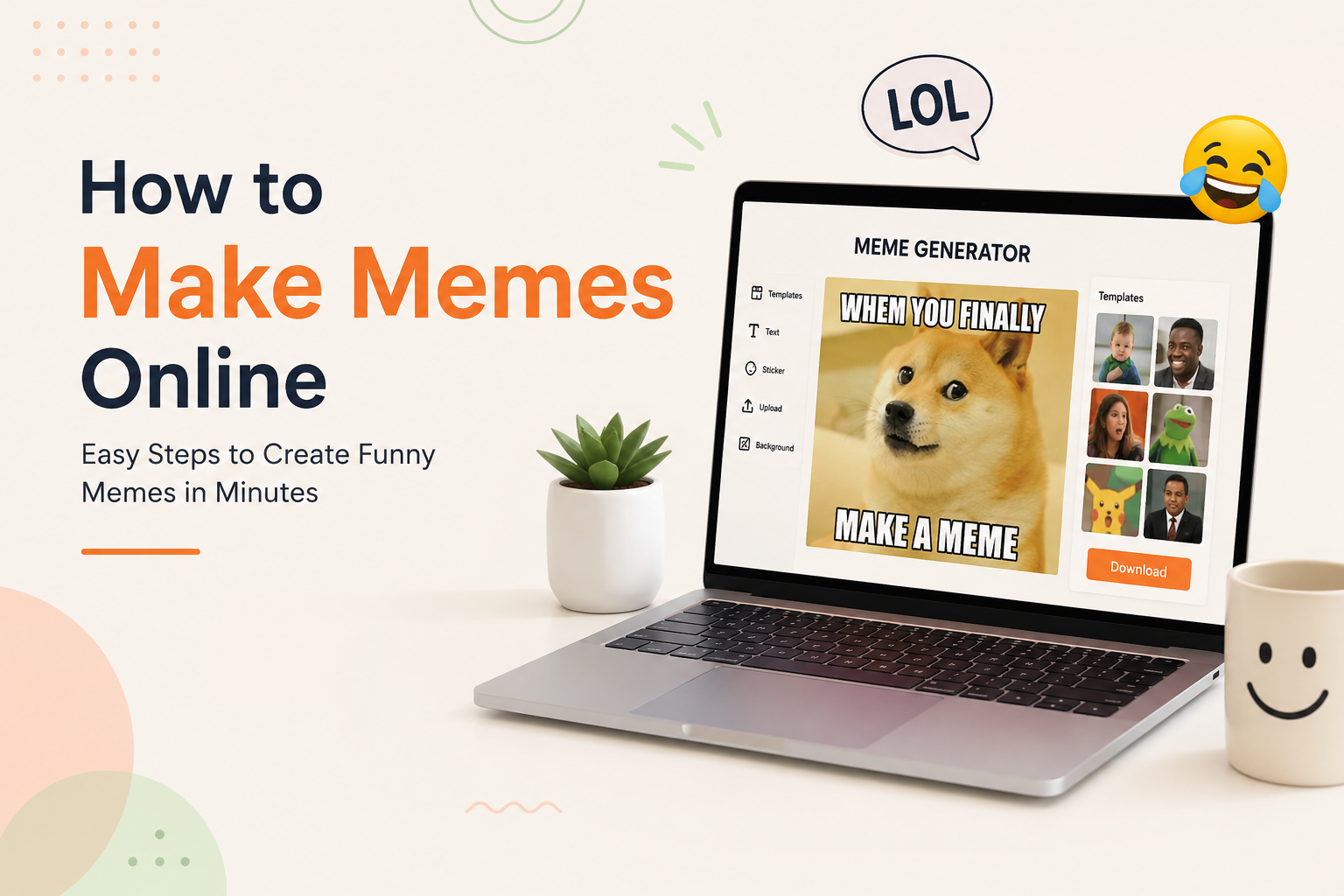
How to Make Memes Online in Simple Steps
Creating a meme is easier than many people expect.
Step 1: Choose an Image
Start with a photo that matches your idea.
Step 2: Upload the Image
Open your favourite online meme generator and upload your chosen picture.
Step 3: Add Text
Place your caption where it is easy to read.
Step 4: Adjust the Design
Resize the text, choose a readable font, and position everything neatly.
Step 5: Download Your Meme
Once you’re happy with the result, download the finished image.
The entire process usually takes only a few minutes.
Tips for Better Meme Design
Good design improves readability.
Follow these best practices:
- Use high-contrast text
- Avoid clutter
- Leave enough spacing
- Keep captions brief
- Use readable fonts
- Focus on one joke
- Don’t overcrowd the image
Simple memes often perform better than complicated ones.
Common Mistakes to Avoid
Even experienced creators occasionally make mistakes.
Try to avoid:
- Too much text
- Blurry images
- Hard-to-read fonts
- Offensive humour
- Poor grammar
- Low-quality images
- Misaligned text
Paying attention to these details helps your memes appear more professional.
Why Memes Matter for SEO and Content Marketing
Although memes are mainly created for entertainment, they can also support your digital marketing strategy.
For example, engaging visual content encourages visitors to spend more time on your website. Furthermore, people are more likely to share pages that contain interesting graphics. Consequently, memes can indirectly contribute to increased website traffic and stronger brand recognition.
Create Funny Memes Online in Minutes
Turn any photo into a hilarious meme with the ImgPixStore Meme Generator Maker. Upload your image, add custom text, adjust the design, and download your meme instantly. No complicated software or design experience is required.
Why Use ImgPixStore?
- ✅ Free Online Meme Generator
- ✅ Upload Your Own Images
- ✅ Add Custom Meme Text
- ✅ Fast Browser-Based Editor
- ✅ Works on Mobile & Desktop
- ✅ Instant Download
Why High-Quality Memes Perform Better
Thousands of memes are posted online every day. As a result, low-quality images and poorly written captions rarely get noticed.
High-quality memes offer several advantages:
- Capture attention quickly
- Encourage more shares
- Increase comments and reactions
- Improve brand recognition
- Keep readers engaged for longer
When your memes look polished and professional, people are more likely to trust your content and interact with it.
Choose Images That Match Your Message
A funny caption alone isn’t enough. The image should reinforce your message and make the joke easier to understand.
Consider using:
- Everyday situations
- Funny facial expressions
- Animals and pets
- Office moments
- Student life
- Gaming reactions
- Family humour
- Seasonal events
Avoid images that are blurry, stretched, or difficult to understand. High-resolution visuals always create a better impression.
Write Captions That Feel Natural
The best memes often use very few words. Instead of explaining the joke, let the image and text work together.
Here are a few simple tips:
- Keep sentences short.
- Use everyday language.
- Focus on one idea.
- Avoid unnecessary words.
- Make the punchline easy to understand.
For example:
❌ Too Long
“When your manager suddenly schedules a meeting at 5:55 PM on Friday and expects everyone to stay late.”
✅ Better
Friday 5:55 PM
“Quick meeting…”
Simple captions are usually more memorable.
Keep Your Meme Easy to Read
Readability is one of the most important design principles.
Make sure your meme includes:
- Large text
- Good spacing
- High colour contrast
- Balanced layout
- Clear alignment
If someone cannot read your meme in three seconds, they will probably continue scrolling.
Use Colours That Support Your Message
Colours influence emotions and help attract attention.
Some common colour choices include:
| Colour | Common Feeling |
|---|---|
| Blue | Trust, calm |
| Yellow | Fun, happiness |
| Red | Excitement, urgency |
| Green | Success, positivity |
| Black | Bold, dramatic |
| White | Clean, modern |
Although bright colours attract attention, avoid making your design too busy.
Keep Branding Consistent
If you create memes regularly, maintaining a consistent style helps people recognise your content.
Consider using:
- The same font
- Similar colour palette
- Consistent text placement
- Brand logo (if appropriate)
- Similar image style
Small branding elements can improve recognition without distracting from the humour.
Create Memes for Different Platforms
Every social media platform has a different audience and preferred image size.
- Humorous posts
- Community engagement
- Shareable content
- Clean design
- Bright visuals
- Square or portrait images
X (Twitter)
- Trending topics
- Short captions
- Fast-moving conversations
Professional humour works surprisingly well when used appropriately.
Examples include:
- Office life
- Remote work
- Team meetings
- Career growth
- Productivity
Originality matters most. Communities often prefer unique content over heavily branded designs.
Use Memes to Grow Your Blog
Blog articles become more engaging when they include relevant visual content.
You can use memes to:
- Break up long sections
- Explain difficult concepts
- Add personality
- Increase reader engagement
- Encourage social sharing
A well-placed meme can make a lengthy article more enjoyable to read.
Memes for Digital Marketing
Many brands now include memes in their marketing strategy because they create authentic interactions.
Businesses commonly use memes for:
- Product launches
- Holiday campaigns
- Customer engagement
- Industry humour
- Brand awareness
- Event promotions
The goal is to entertain first and promote second.
How Businesses Benefit from Meme Marketing
Businesses often notice several advantages after incorporating memes into their content strategy.
These include:
- Higher engagement rates
- More social shares
- Better audience retention
- Increased website visits
- Improved brand personality
- Greater organic reach
While memes should not replace informative content, they can effectively complement your overall marketing efforts.
Keep Your Content Original
Original memes generally perform better than copied content.
Instead of copying popular memes, consider:
- Creating your own captions
- Using original photos
- Combining unique ideas
- Adding your own creative twist
Original content helps build trust and avoids potential copyright issues.
Understand Copyright Before Sharing
It’s important to respect intellectual property when creating memes.
Here are a few best practices:
- Use images you own or have permission to use.
- Choose royalty-free or licensed photos when needed.
- Avoid copying copyrighted artwork without permission.
- Don’t remove watermarks from images.
Creating original content is always the safest and most professional approach.
Optimise Memes for Website Speed
Large image files can slow down your website.
Before uploading a meme:
- Compress the image
- Choose the correct file format
- Resize oversized images
- Optimise for web use
Fast-loading pages improve user experience and can support better search engine performance.
Why Alt Text Matters
Search engines cannot fully understand images without descriptive text.
Every meme should include meaningful alt text.
For example:
Good Alt Text
“Funny office meme showing an employee surprised by a Monday morning meeting.”
Avoid generic descriptions like:
“Image123.jpg”
Descriptive alt text improves accessibility and image SEO.
Common Meme Creation Mistakes
Many beginners make similar mistakes.
Avoid:
- Using too much text
- Low-resolution images
- Tiny fonts
- Poor spelling
- Cluttered layouts
- Overusing emojis
- Difficult-to-read colours
Review your meme before publishing to ensure everything looks polished.
Tips for Creating Viral Memes
Although no one can guarantee that a meme will go viral, these strategies can improve your chances:
- Follow current trends.
- Create relatable content.
- Publish consistently.
- Keep your humour simple.
- Focus on quality over quantity.
- Post when your audience is active.
- Encourage sharing.
The more value and entertainment your meme provides, the more likely people are to interact with it.
Try the ImgPixStore Meme Generator Today
Creating memes doesn’t have to be difficult. With the ImgPixStore Meme Generator Maker, you can upload an image, add custom text, personalise your design, and download your finished meme directly from your browser.
Whether you’re creating content for social media, blogs, business marketing, or just sharing a laugh with friends, an easy-to-use online meme generator helps you turn ideas into engaging visuals within minutes.
Frequently Asked Questions
Find answers to the most common questions about using the ImgPixStore Meme Generator Maker. Learn how to create, edit, and share professional-quality memes online with ease.
1. What is the ImgPixStore Meme Generator Maker?
The ImgPixStore Meme Generator Maker is a free online tool that lets you create custom memes directly in your web browser. Simply upload an image, add your own text, customise the layout, and download your finished meme within minutes.
2. Do I need to install any software?
No. Everything works online, so you don't need to download or install any software. Open the tool in your browser and start creating memes immediately.
3. Can I upload my own images?
Yes. You can upload your own photos or graphics and turn them into personalised memes by adding custom captions and styling.
4. Is the Meme Generator free to use?
Yes. You can create memes online without paying for expensive editing software, making it an excellent option for students, creators, businesses, and social media users.
5. Can I use the tool on my mobile phone?
Absolutely. The Meme Generator Maker is fully responsive and works smoothly on smartphones, tablets, laptops, and desktop computers.
6. Which image formats are supported?
The tool supports commonly used image formats, allowing you to upload and edit your pictures quickly before downloading your completed meme.
7. Can I use memes for social media?
Yes. You can create engaging memes for Facebook, Instagram, X, LinkedIn, Reddit, WhatsApp, blogs, and many other online platforms.
8. Is the ImgPixStore Meme Generator beginner-friendly?
Yes. The interface is designed to be simple and intuitive, allowing beginners to create high-quality memes without graphic design experience.
9. Why should I use an online meme generator?
An online meme generator saves time, works from any device, requires no installation, and makes it easy to create professional-looking memes whenever inspiration strikes.
10. How do I get started?
Visit the ImgPixStore Meme Generator Maker, upload your image, add your caption, customise the design, and download your finished meme in just a few simple steps.
How to Make Memes Online Using ImgPixStore Meme Generator Maker
If you’re new to meme creation, don’t worry. The process is simple and only takes a few minutes.
Step 1: Open the Meme Generator
Visit the ImgPixStore Meme Generator Maker from your web browser.
Since the tool works online, there is no need to install additional software.
Step 2: Upload Your Image
Choose the image you want to turn into a meme.
Good images usually include:
- Funny reactions
- Animal photos
- Office moments
- Everyday situations
- Original photographs
- Trending meme templates
Always use clear, high-quality images for the best results.
Step 3: Add Your Meme Text
Type your caption where it fits naturally.
A good meme caption should be:
- Short
- Funny
- Easy to understand
- Relatable
- Easy to read
Remember that simple jokes often perform better than long explanations.
Step 4: Customise Your Meme
Adjust the appearance of your meme to make it visually appealing.
Depending on your design, you can:
- Position text
- Resize captions
- Balance the layout
- Improve readability
- Create a clean composition
Avoid placing text too close to the edges of the image.
Step 5: Preview Before Downloading
Before saving your meme, review everything carefully.
Check for:
- Spelling mistakes
- Text alignment
- Image quality
- Readability
- Overall appearance
Taking a few extra seconds to review your design can make a noticeable difference.
Step 6: Download and Share
Once your meme looks perfect, download it and share it on your preferred platform.
Popular sharing destinations include:
- X (Twitter)
- Discord
- Blogs
- Online communities
Sharing consistently helps build an audience over time.
Best Practices for Creating Better Memes
Although meme creation is creative, following a few best practices can improve your results.
Focus on One Idea
Trying to include multiple jokes in one image can confuse viewers.
Instead, communicate one clear message.
Stay Current
Trending topics often generate more engagement.
Pay attention to:
- Popular internet trends
- Seasonal events
- Holidays
- Sports
- Entertainment
- Everyday experiences
However, always ensure your humour remains respectful and appropriate.
Keep Your Design Clean
Simple layouts are easier to understand.
Avoid:
- Too many fonts
- Too many colours
- Overcrowded text
- Distracting backgrounds
Clean designs usually attract more attention.
Use High-Quality Images
Pixelated images reduce the overall impact of your meme.
Whenever possible, choose:
- Sharp images
- Proper lighting
- High resolution
- Correct aspect ratio
Quality visuals make your content look more professional.
How Memes Help Bloggers
Bloggers increasingly use memes because they improve reader engagement.
Benefits include:
- Breaking up long articles
- Increasing time on page
- Making content memorable
- Encouraging social shares
- Supporting visual storytelling
A relevant meme can make technical or educational content easier to understand.
Memes for Businesses and Brands
Businesses can also benefit from meme marketing when used thoughtfully.
Memes can help:
- Humanise a brand
- Increase customer interaction
- Promote products naturally
- Build stronger communities
- Reach younger audiences
The most effective branded memes entertain first and promote second.
SEO Tips for Meme Images
If you publish memes on your website, optimising them for search engines can increase visibility.
Use Descriptive File Names
Instead of:
IMG001.jpgUse:
funny-office-meme.jpgAdd Image Alt Text
Example:
Funny office meme about Monday morning meetings.
Alt text improves accessibility while helping search engines understand your content.
Compress Images
Smaller image sizes improve loading speed without significantly reducing quality.
Faster websites generally provide a better user experience.
Use Relevant Headings
Organise your content with descriptive headings.
Examples include:
- How to Make Memes Online
- Funny Meme Ideas
- Social Media Meme Tips
- Best Meme Generator
Well-structured content is easier to read and navigate.
Common Questions Before Publishing a Meme
Before sharing your meme online, ask yourself:
- Is the text easy to read?
- Does the joke make sense?
- Is the image high quality?
- Have I checked spelling?
- Would my audience understand it?
- Is the content respectful?
- Does it provide entertainment or value?
Answering these questions helps ensure a better final result.
Why Choose the ImgPixStore Meme Generator Maker?
There are many online meme editors available, but choosing a tool that is simple, fast, and easy to use makes the creative process much more enjoyable.
The ImgPixStore Meme Generator Maker is designed to help beginners and experienced creators quickly transform ideas into engaging memes directly from their web browser.
Some advantages include:
- Easy-to-use interface
- Browser-based editing
- Quick image uploads
- Custom text support
- Responsive design
- Works across devices
- No complicated installation
- Fast meme creation workflow
Whether you’re creating memes for personal entertainment, education, blogging, or digital marketing, the tool provides an accessible way to design engaging visual content.
Final Tips for Creating Shareable Memes
Keep these recommendations in mind whenever you create a new meme:
- Know your audience.
- Keep captions short.
- Choose high-quality images.
- Follow current trends.
- Maintain originality.
- Use clear typography.
- Stay respectful.
- Publish consistently.
- Test different styles.
- Have fun with the creative process.
Small improvements over time can lead to more engaging and memorable content.
Conclusion
Learning how to make memes online is a valuable skill for anyone who creates digital content. From social media posts and blog articles to classroom projects and business marketing, memes offer a simple yet effective way to communicate ideas, entertain audiences, and encourage engagement.
With the ImgPixStore Meme Generator Maker, you can create customised memes directly from your browser without the need for complex editing software. Upload your favourite image, add a creative caption, fine-tune the layout, and download your meme in just a few simple steps.
Whether you’re a beginner experimenting with your first meme or a content creator looking to produce engaging visuals regularly, the right combination of creativity, quality, and consistency can make a lasting impression. Start creating today, explore new ideas, and share memes that your audience will enjoy and remember.
Create Your Next Viral Meme Today
Turn your ideas into eye-catching memes in just a few clicks. Visit the ImgPixStore Meme Generator Maker, upload your favourite image, customise your text, and create memes ready for social media, blogs, presentations, and more.
Why creators choose ImgPixStore:
- 🎨 Easy online meme creation
- ⚡ Fast browser-based editor
- 📱 Works on desktop, tablet, and mobile
- 🖼️ Upload your own images
- 💬 Add custom captions
- 📥 Download and share instantly
👉 Start creating memes today and bring your creativity to life with ImgPixStore!