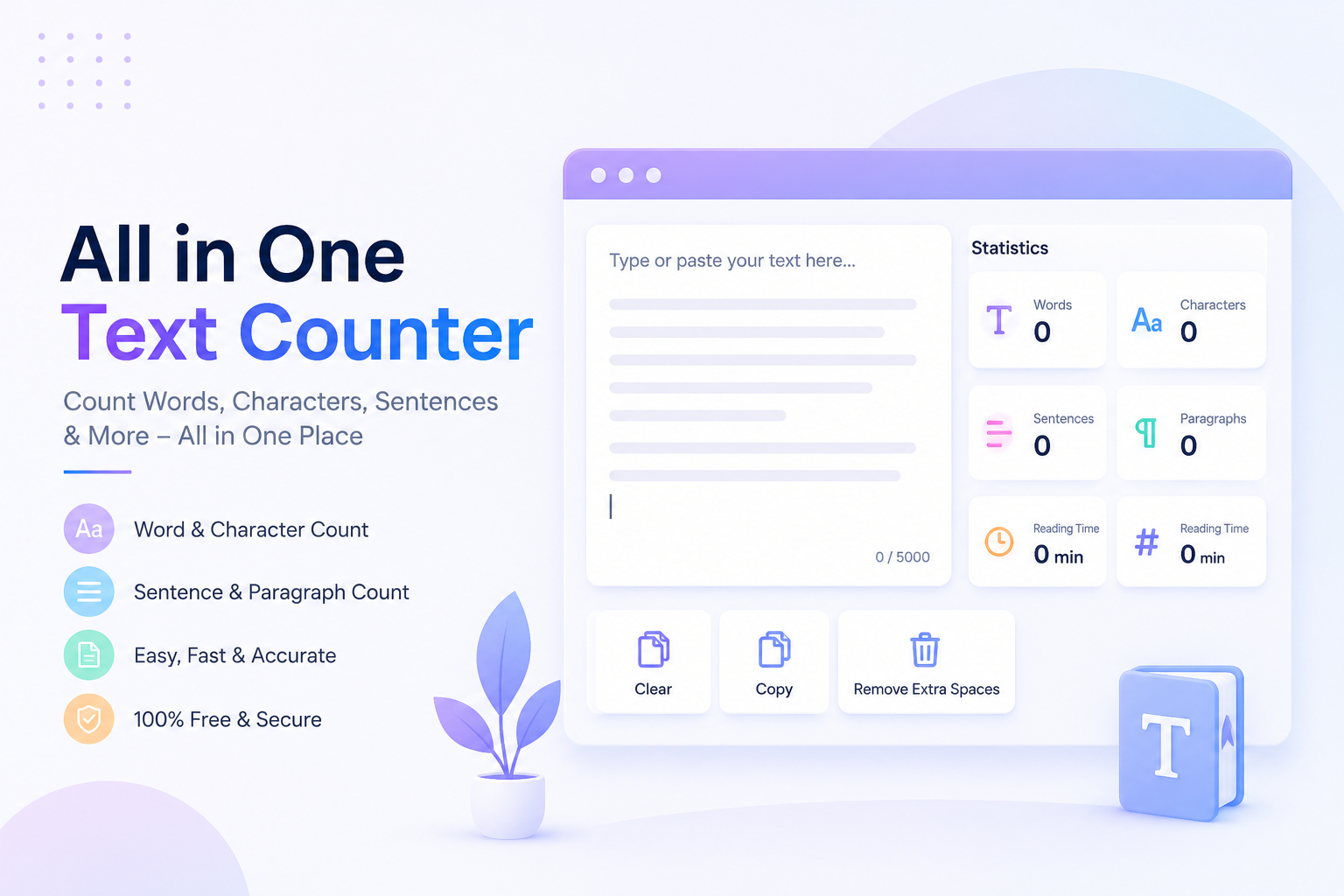
All in One Text Counter
Whether you are writing a blog, creating social media posts, preparing a college assignment, drafting an email, or optimising content for SEO, keeping track of your text is more important than ever. Most online writing platforms have word or character limits, while search engines and social media platforms recommend ideal content lengths. This makes a reliable text counting tool an essential part of every writer’s workflow.
The All in One Text Counter from ImgPixStore is designed to make text analysis quick, simple, and accurate. Instead of only counting words or characters, it gives you a complete overview of your content in seconds. You can instantly check word count, character count with and without spaces, sentence count, paragraph count, estimated reading time, speaking time, and much more, all from one clean interface.
Unlike many online counters that focus on just one feature, this tool combines everything writers need into a single page. There is no complicated setup, no software installation, and no registration required. Simply paste your text and the results update instantly.
If you regularly write articles, emails, reports, books, captions, advertisements, product descriptions, or academic papers, this tool can help you write more efficiently while saving valuable time.
Why Do You Need an All in One Text Counter?
Many people think counting words is enough. In reality, modern writing requires much more than that.
For example:
- SEO articles often require a specific word count.
- Meta descriptions should stay within recommended character limits.
- Social media posts have maximum character restrictions.
- Academic assignments usually specify minimum and maximum word counts.
- Professional emails should remain concise and readable.
- Marketing copy performs better when it is clear and well-balanced.
Without a proper text counter, checking all these details manually becomes difficult and time-consuming.
The All in One Text Counter solves this problem by displaying every important writing statistic instantly, allowing you to focus on improving your content instead of counting it.
What Can the All in One Text Counter Measure?
Instead of showing only one number, this tool analyses your content from multiple perspectives.
Word Count
Word count is one of the most commonly used writing metrics. Bloggers, students, authors, and SEO professionals all rely on accurate word counts.
The tool instantly tells you how many words your document contains, helping you meet writing requirements with confidence.
Examples include:
- Blog posts
- Articles
- Research papers
- Assignments
- Books
- Reports
- Website content
Character Count
Many platforms limit the number of characters you can use.
Examples include:
- Google meta titles
- Meta descriptions
- SMS messages
- Social media posts
- Advertising copy
- Product listings
The tool counts:
- Characters including spaces
- Characters excluding spaces
This helps you optimise your content for different platforms without exceeding limits.
Sentence Counter
Good writing is built around well-structured sentences.
Knowing the number of sentences helps you:
- Improve readability
- Balance paragraph length
- Analyse writing style
- Create easier-to-read content
Long blocks of text often discourage readers. Breaking them into shorter sentences improves user experience and increases engagement.
Paragraph Counter
Paragraphs make content easier to read.
The All in One Text Counter automatically detects every paragraph in your document, making it simple to organise long-form content.
This feature is especially useful for:
- Bloggers
- Students
- Technical writers
- Copywriters
- Journalists
Reading Time Calculator
One of the most useful features is the estimated reading time.
Readers often want to know how long an article will take to read before they begin.
Knowing the reading time helps content creators:
- Improve user experience
- Increase engagement
- Plan article length
- Create consistent blog posts
SEO experts also use reading time to maintain content quality across their websites.
Speaking Time Estimator
If you’re preparing:
- Presentations
- Speeches
- Podcasts
- YouTube videos
- Online courses
the speaking time estimator becomes incredibly useful.
Instead of guessing how long your script will take to present, the tool provides an accurate estimate based on average speaking speed.
Who Can Use the All in One Text Counter?
One of the biggest advantages of this tool is its versatility. It is useful for almost anyone who works with text.
Bloggers
Bloggers need to create content that is informative, engaging, and optimised for search engines.
The tool helps bloggers maintain consistent article lengths while ensuring every post meets SEO best practices.
Students
Students frequently receive assignments with strict word limits.
Instead of manually checking document statistics, students can quickly verify their work before submission.
It also helps improve essay structure by analysing sentence and paragraph distribution.
Content Writers
Professional writers often create content for multiple clients with different requirements.
Using the All in One Text Counter allows them to:
- Stay within project guidelines
- Improve readability
- Deliver polished content faster
SEO Professionals
SEO experts know that content quality matters just as much as keywords.
This tool supports optimisation by providing:
- Accurate word count
- Character limits
- Readability insights
- Better content organisation
These small improvements can contribute to stronger search performance over time.
Digital Marketers
Marketing campaigns depend on concise messaging.
Whether you’re creating:
- Google Ads
- Facebook Ads
- Instagram captions
- Email campaigns
- Landing pages
this tool helps ensure your copy stays within platform limits while remaining clear and engaging.
Social Media Managers
Different social platforms have different character restrictions.
Instead of repeatedly editing your captions, simply paste your text into the All in One Text Counter and verify everything before publishing.
This saves time and reduces mistakes.
Key Features of the All in One Text Counter
The tool is designed with simplicity and performance in mind.
Its standout features include:
- ✅ Instant text analysis
- ✅ Accurate word count
- ✅ Character count with spaces
- ✅ Character count without spaces
- ✅ Sentence counter
- ✅ Paragraph counter
- ✅ Reading time estimator
- ✅ Speaking time calculator
- ✅ Fast browser-based processing
- ✅ Mobile-friendly design
- ✅ No login required
- ✅ Completely free to use
- ✅ Clean and distraction-free interface
- ✅ Works on Windows, Mac, Android and iPhone
- ✅ Privacy-friendly with no unnecessary data collection
Why Accuracy Matters in Writing
Many people underestimate the importance of accurate text statistics.
Imagine writing a 2,500-word SEO article only to discover it contains just 1,900 words. Alternatively, picture submitting a university assignment that exceeds the maximum word limit or publishing a meta description that gets cut off in Google search results.
These small mistakes can affect readability, user experience, search visibility, or even grades.
With the All in One Text Counter, you receive instant, accurate statistics while you write, making it easier to stay within the required limits and produce polished, professional content.
What Makes the All in One Text Counter Different?
Most free text counters only display two numbers: words and characters. While that is helpful, modern writers often need much more information.
The All in One Text Counter provides a complete analysis of your content, including:
- Word Count
- Character Count
- Character Count (Without Spaces)
- Sentence Count
- Paragraph Count
- Reading Time
- Speaking Time
- Instant Live Results
- Mobile-Friendly Design
- Free Online Access
Everything updates automatically as you type or paste your content, allowing you to make quick edits without refreshing the page.
Comparison: All in One Text Counter vs Other Online Text Counters
Choosing the right writing tool can save time and improve productivity. Here’s how the All in One Text Counter compares with many standard online text counters.
| Feature | All in One Text Counter | Many Basic Online Counters |
|---|---|---|
| Word Count | ✅ | ✅ |
| Character Count | ✅ | ✅ |
| Character Count Without Spaces | ✅ | ❌ Sometimes Missing |
| Sentence Counter | ✅ | ❌ |
| Paragraph Counter | ✅ | ❌ |
| Reading Time | ✅ | ❌ |
| Speaking Time | ✅ | ❌ |
| Instant Live Counting | ✅ | Limited |
| Mobile Responsive | ✅ | Varies |
| Free to Use | ✅ | Mostly |
| No Registration | ✅ | Not Always |
| Simple Interface | ✅ | Sometimes Cluttered |
Instead of relying on several websites, this tool provides everything in one convenient place.
Benefits of Using an All in One Text Counter Every Day
Even if your writing tasks seem simple, checking your content before publishing can improve quality and save time.
Some of the biggest advantages include:
Save Time
There is no need to manually count words or use multiple websites.
Simply paste your content and receive instant statistics.
Improve Readability
Good writing is easy to read.
By monitoring sentence and paragraph length, you can make your content more engaging for readers.
Write Better SEO Content
Search engines reward useful, well-structured content.
Knowing your word count, paragraph length, and reading time helps create articles that are easier for users to consume.
While word count alone does not determine rankings, maintaining consistent, comprehensive content often supports a better user experience.
Meet Platform Requirements
Many platforms have content limits.
Examples include:
- Google Meta Titles
- Meta Descriptions
- Instagram Captions
- Facebook Posts
- LinkedIn Posts
- X (formerly Twitter)
- YouTube Descriptions
- Email Subject Lines
The All in One Text Counter helps ensure your content stays within recommended limits.
Increase Productivity
Instead of switching between different websites, everything is available in one place.
This allows writers to stay focused and complete projects more efficiently.
Real-World Use Cases
One of the biggest strengths of the All in One Text Counter is its flexibility. It supports a wide range of writing tasks for students, professionals, marketers, and everyday users.
For SEO Content Writers
SEO writers often receive briefs requiring:
- 2,000-word articles
- Meta descriptions under recommended limits
- Short paragraphs
- Easy-to-read content
- Better user engagement
The tool makes it simple to verify these requirements before publishing.
For Students
Students frequently need to meet assignment guidelines.
Examples include:
- 500-word essays
- 1,500-word reports
- Dissertation chapters
- Research summaries
- Personal statements
The All in One Text Counter lets students confirm their work before submission without manually checking every section.
For Bloggers
Bloggers benefit from understanding:
- Total article length
- Reading time
- Sentence balance
- Paragraph structure
These insights help create content that readers can follow comfortably from beginning to end.
For Copywriters
Marketing copy often has strict character limits.
Examples include:
- Product descriptions
- Google Ads
- Facebook Ads
- Landing Pages
- Email campaigns
The tool allows copywriters to edit quickly while staying within platform requirements.
For Social Media Creators
Different social platforms favour different content lengths.
Using the All in One Text Counter before posting can help avoid unnecessary edits after publication.
For Journalists
News articles require concise writing.
The tool helps journalists:
- Monitor article length
- Improve readability
- Maintain consistent formatting
For Authors
Book writers often track progress through word counts.
Instead of opening desktop software, authors can quickly monitor chapters directly in their browser.
Why Simplicity Matters
Some writing tools overwhelm users with unnecessary menus and complicated dashboards.
The All in One Text Counter focuses on what matters most.
You simply:
- Open the tool.
- Paste or type your content.
- View your statistics instantly.
There are no confusing settings or unnecessary distractions.
This makes the tool suitable for beginners while remaining useful for experienced writers.
Works on Every Device
Modern users switch between multiple devices throughout the day.
The All in One Text Counter works smoothly on:
- Desktop Computers
- Windows PCs
- MacBooks
- Android Phones
- iPhones
- Tablets
- Chromebooks
Since it runs directly in your browser, there is nothing to download or install.
Privacy Comes First
Many users hesitate to paste important documents into online tools.
The All in One Text Counter is designed for quick browser-based analysis without unnecessary complexity.
Because you don’t need to create an account, you can start using the tool immediately. This straightforward approach helps you analyse text without sharing personal information simply to access basic features.
All in One Text Counter
Write with confidence using our powerful All in One Text Counter. Instantly check your word count, character count, sentence count, paragraph count, reading time, and speaking time in one place. Fast, accurate, mobile-friendly, and completely free to use.
⭐ Trusted by bloggers, students, writers, marketers, SEO professionals, and businesses for fast and accurate text analysis.
Tips to Get the Most from the All in One Text Counter
To make your writing clearer and more effective:
- Check your word count before publishing.
- Keep paragraphs short for easier reading.
- Avoid overly long sentences.
- Review estimated reading time for blog posts.
- Stay within character limits for titles and descriptions.
- Use the tool while editing, not just after you’ve finished writing.
- Aim for clear, natural language rather than adding unnecessary words.
- Combine the text statistics with careful proofreading to produce polished content.
These small habits can improve readability and create a better experience for your audience.
How to Write Better Content with the All in One Text Counter
Many writers focus only on finishing their content. Professional writers, however, also review how their content is structured.
Here are a few practical ways to improve your writing using the tool.
Keep Paragraphs Short
Large blocks of text can be difficult to read, especially on mobile devices.
Aim for paragraphs with three to five sentences whenever possible. Shorter paragraphs make your content feel more approachable and encourage readers to continue.
The paragraph counter helps you see whether your content is evenly organised.
Balance Your Sentences
Using only long sentences can make an article feel heavy. On the other hand, using only very short sentences can make the writing feel choppy.
Mix short, medium, and longer sentences to create a smoother reading experience.
The sentence counter helps you review the overall structure of your article.
Meet Recommended Word Counts
Different types of content often benefit from different lengths.
| Content Type | Suggested Length |
|---|---|
| Social Media Caption | 50–150 words |
| Product Description | 100–300 words |
| Blog Post | 1,000–2,500+ words |
| In-depth Guide | 2,500–4,000 words |
| University Essay | Depends on the assignment |
| Email Newsletter | 300–800 words |
Rather than writing to hit an exact number, focus on answering the reader’s question thoroughly. The word counter helps you monitor progress without distracting you from writing.
Review Reading Time
Readers often decide whether to start an article based on how long it will take to read.
A reading time estimate helps you:
- Plan article length
- Set expectations for readers
- Keep long content organised
- Improve engagement
For example:
- A 2-minute article is ideal for quick tips.
- A 5-minute article suits detailed tutorials.
- A 10-minute guide works well for comprehensive topics.
Check Character Limits
Many platforms display only part of your content if it exceeds recommended character limits.
Examples include:
- Search snippets
- Email subject lines
- Social media profiles
- Advertising copy
- Product titles
The character counter helps you edit confidently before publishing.
Common Writing Mistakes the Tool Helps You Avoid
While the All in One Text Counter does not replace proofreading, it helps you identify structural issues that often affect readability.
Some common mistakes include:
Writing Without a Target Length
Starting without a clear goal can lead to content that is either too short or unnecessarily long.
Using the word counter helps you stay on track from the beginning.
Creating Long Paragraphs
Large paragraphs can discourage readers, especially on mobile devices.
Breaking your ideas into shorter sections improves readability and makes the content easier to scan.
Ignoring Reading Experience
If an article takes much longer to read than expected, readers may lose interest.
The reading time estimate helps you create content that matches your audience’s expectations.
Forgetting Platform Limits
Different platforms have different requirements.
Checking character counts before publishing helps prevent titles, descriptions, and captions from being cut off.
Why Choose ImgPixStore’s All in One Text Counter?
There are many free text counters available online, but a great tool should be accurate, simple, and easy to access.
The All in One Text Counter focuses on delivering the features people use every day without unnecessary complexity.
Here’s what makes it stand out:
- Clean and distraction-free interface
- Instant live text analysis
- Accurate counting of words, characters, sentences, and paragraphs
- Reading time and speaking time estimates
- No software installation
- No account required
- Free to use on any device
- Responsive design for desktop, tablet, and mobile
- Fast performance directly in your browser
Whether you are writing one paragraph or an entire book chapter, the tool provides reliable statistics within seconds.
All in One Text Counter FAQs
Find answers to the most common questions about the All in One Text Counter. Learn how the tool works, what it measures, and why it is a helpful choice for writers, students, bloggers, marketers, and professionals.
The All in One Text Counter is a free online writing tool that instantly counts words, characters, sentences, paragraphs, reading time, and speaking time. It helps you analyse text quickly without installing software or creating an account.
Yes. The tool is completely free to use. There are no hidden charges, subscriptions, or registration requirements. Simply open the page, paste your text, and view your results instantly.
The tool measures word count, character count with spaces, character count without spaces, sentence count, paragraph count, estimated reading time, and estimated speaking time in one place.
Absolutely. SEO writers can use the tool to monitor article length, optimise meta titles and descriptions, maintain readable paragraphs, and estimate reading time before publishing.
Yes. The All in One Text Counter is fully responsive and works on Android phones, iPhones, tablets, laptops, and desktop computers using any modern web browser.
The tool is useful for bloggers, students, content writers, SEO professionals, copywriters, digital marketers, teachers, researchers, journalists, business professionals, and anyone who writes online.
No. Everything runs directly in your browser. There is nothing to install, and you can begin using the tool immediately from any internet-connected device.
The tool is designed for quick browser-based text analysis. You can paste your content, view the statistics, and continue editing without needing to create an account.
Final Thoughts
Whether you are a student working on an assignment, a blogger publishing your next article, a marketer creating advertising copy, or a professional preparing reports, keeping track of your text is an important part of the writing process.
The All in One Text Counter combines multiple writing statistics into one easy-to-use online tool. Instead of switching between different websites, you can check your word count, character count, sentence count, paragraph count, reading time, and speaking time in one place.
Its clean design, fast performance, and straightforward interface make it suitable for beginners as well as experienced writers. Because it works directly in your browser, you can start analysing your text immediately without installing software or creating an account.
If you want a reliable way to improve your writing workflow, the All in One Text Counter is a practical solution that helps you write with greater confidence and efficiency.