Qwen 3.5 Guide: Features, API, Models, Benchmarks & How to Build AI Applications
Artificial intelligence (AI) is improving at an incredible speed. Every year, new AI models are released with better reasoning, faster responses, improved coding skills, and more advanced multimodal capabilities. Because of this rapid progress, developers and businesses are always searching for AI models that are powerful, affordable, and easy to use.
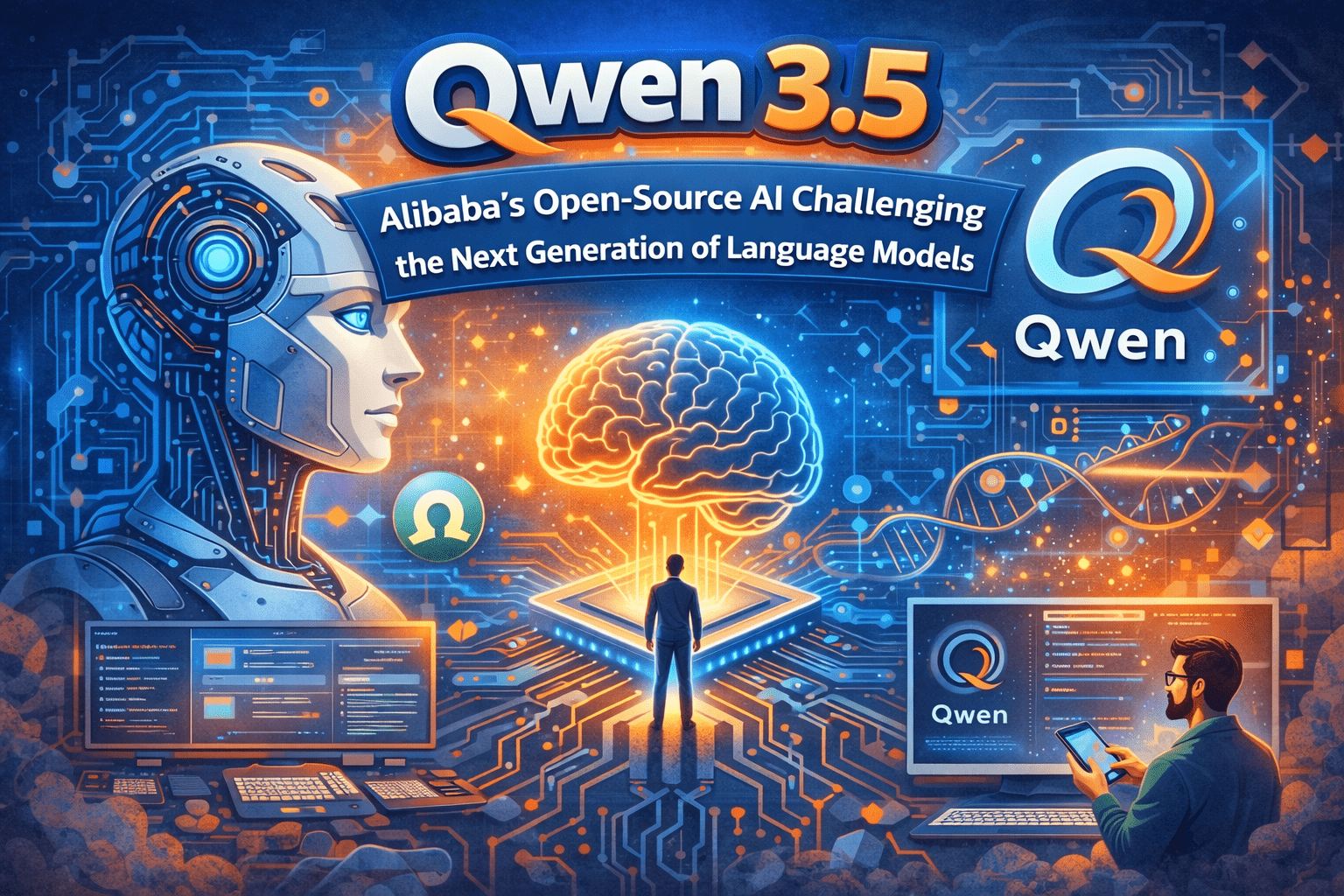
One of the latest models making headlines is Qwen 3.5, developed by Alibaba Cloud. Soon after its release, it attracted attention from developers, researchers, and AI enthusiasts around the world. The reason is simple—Qwen 3.5 combines strong performance, support for multiple languages, multimodal intelligence, and open-source availability. These features make it a serious competitor to many well-known AI models.
Unlike some AI platforms that only offer paid APIs, several Qwen 3.5 models are available with open weights. This gives developers the freedom to download, fine-tune, and deploy the model on their own infrastructure. As a result, startups, researchers, and independent developers can build AI-powered applications with greater flexibility.
In this comprehensive guide, you’ll learn everything you need to know about Qwen 3.5. We’ll explain its features, architecture, performance, pricing, use cases, and how it compares with other leading AI models. Whether you’re a beginner or an experienced developer, this guide will help you understand why Qwen 3.5 has become one of the most talked-about AI models.
What Is Qwen 3.5?
Qwen 3.5 is the latest generation of large language models (LLMs) developed by Alibaba Cloud. It is designed to understand and generate text while also working with images and other types of data. This makes it a multimodal AI model, meaning it can process more than just written text.
Unlike traditional chatbots that focus only on answering questions, Qwen 3.5 is built to support a wide range of tasks, including:
- Writing and editing content
- Explaining complex topics
- Generating programming code
- Debugging software
- Analyzing charts and images
- Summarizing long documents
- Assisting with research
- Supporting AI agents
Because of its flexibility, Qwen 3.5 can be used in education, software development, customer support, research, and business automation.
Another important feature is its open ecosystem. Several models in the Qwen family are released under the Apache 2.0 license, allowing developers to customize and deploy them without being locked into a single cloud provider. This approach has made Qwen popular among teams that want more control over their AI projects.
The Evolution of the Qwen Model Family
Alibaba has steadily improved the Qwen series with each release. Earlier versions focused mainly on text generation and language understanding. Over time, the models gained better reasoning, stronger coding abilities, larger context windows, and multimodal support.
Qwen 3.5 builds on these improvements by introducing a more efficient architecture and enhanced performance across a variety of tasks. Instead of releasing a single model, Alibaba introduced a family of models designed for different needs. Some are optimized for research, while others focus on fast inference, lower hardware requirements, or cloud deployment.
This variety gives developers more flexibility. For example, a startup building a chatbot may choose a lightweight model for faster responses, while a research team might select a larger model for more advanced reasoning.
Why Qwen 3.5 Matters
The AI industry is becoming increasingly competitive. Companies such as OpenAI, Anthropic, Google, Meta, and Mistral continue to release powerful models. Qwen 3.5 enters this landscape with a different strategy.
Rather than focusing only on performance, Alibaba also emphasizes openness, affordability, and accessibility. This combination is important because it lowers the barrier to entry for developers and organizations that want to experiment with AI.
Here are a few reasons why Qwen 3.5 is attracting attention:
- It offers strong reasoning and coding capabilities.
- It supports multimodal tasks such as image understanding.
- It provides extensive multilingual support.
- Several models are available with open weights.
- It is designed to be efficient for both cloud and local deployments.
These strengths make Qwen 3.5 a practical choice for many AI projects.
Key Features of Qwen 3.5
Qwen 3.5 includes several features that help it stand out from earlier AI models.
1. Advanced Reasoning
Modern AI is expected to do more than answer simple questions. Qwen 3.5 is designed to solve complex problems, explain technical topics, compare solutions, and assist with planning. This makes it useful for students, developers, researchers, and professionals.
2. Strong Coding Support
Programming is one of the model’s strongest areas. Developers can use Qwen 3.5 to generate code, identify bugs, explain programming concepts, convert code between languages, and create documentation. These capabilities can improve productivity during software development.
3. Multimodal Understanding
Unlike text-only models, Qwen 3.5 is built to work with multiple types of information. Depending on the model variant, it can understand images, screenshots, charts, diagrams, and other visual inputs alongside text. This makes it suitable for applications such as document analysis, design review, and educational tools.
4. Long Context Processing
Many AI tasks involve large amounts of information. Qwen 3.5 is designed to handle long conversations and extensive documents more effectively, making it easier to analyze research papers, software projects, or lengthy reports without losing context.
5. Open Ecosystem
One of the biggest advantages of Qwen 3.5 is its open approach. Several variants are available with open weights, allowing developers to fine-tune models, deploy them on their own infrastructure, and build customized AI solutions.
Native Multimodal Intelligence
One of the most exciting improvements in Qwen 3.5 is its native multimodal design.
Earlier AI systems often treated text and images as separate inputs. Qwen 3.5 is designed to combine different types of information more naturally, helping it reason across both text and visuals.
For example, it can be used to:
- Explain a chart or graph.
- Analyze screenshots.
- Interpret diagrams.
- Summarize documents that contain both text and images.
- Answer questions about visual content.
This broader understanding makes Qwen 3.5 useful for industries such as education, healthcare, engineering, and digital design.
Understanding the Model Architecture
Behind the scenes, Qwen 3.5 uses modern AI techniques to improve efficiency and scalability. Some versions of the model use a Mixture-of-Experts (MoE) architecture, which activates only the parts of the model needed for a particular task instead of using every parameter for every request.
This approach can reduce computational costs while maintaining strong performance. For developers and businesses, it means the model can deliver advanced capabilities more efficiently than some traditional architectures.
Why Developers Are Choosing Qwen 3.5
Developers look for AI models that are powerful, flexible, and cost-effective. Qwen 3.5 offers a combination of these qualities.
Many developers choose it because they can:
- Build AI chatbots.
- Create coding assistants.
- Develop multilingual applications.
- Automate repetitive tasks.
- Analyze documents and images.
- Experiment with open-weight models.
- Fine-tune models for specific industries.
In addition, the growing Qwen ecosystem provides tools and resources that make it easier to integrate AI into real-world applications.
Who Should Use Qwen 3.5?
Qwen 3.5 is suitable for a wide range of users.
Students
Students can use it to learn programming, summarize study materials, and understand difficult concepts.
Developers
Developers can integrate Qwen 3.5 into websites, mobile apps, and automation tools while using it to generate and review code.
Researchers
Researchers can analyze large documents, organize information, and summarize technical papers more efficiently.
Businesses
Organizations can build customer support assistants, internal knowledge bases, document processing systems, and multilingual AI solutions.
Lorem ipsum dolor sit amet, consectetur adipiscing elit. Ut elit tellus, luctus nec ullamcorper mattis, pulvinar dapibus leo.
The Qwen 3.5 Model Family
Instead of releasing only one AI model, Alibaba introduced multiple Qwen 3.5 models designed for different workloads. This allows developers to choose a model that best fits their project requirements.
For example, a small startup building a chatbot may not need the largest model available. On the other hand, a research organization analyzing large datasets may prefer a more powerful version with advanced reasoning capabilities.
This flexible approach helps developers balance performance, speed, and infrastructure costs.
Some models are optimized for:
- Advanced reasoning
- Fast inference
- Low hardware requirements
- Enterprise applications
- Local deployment
- Cloud-based AI services
Because of this variety, developers can select a model that matches both their technical needs and budget.
Understanding the Different Model Variants
The Qwen 3.5 family includes several model sizes, each designed for different types of applications.
Large Flagship Models
The largest models provide the strongest reasoning abilities and are suitable for demanding tasks such as:
- Research assistants
- Software engineering
- Scientific analysis
- AI agents
- Enterprise automation
These models require more computing resources but generally deliver the highest level of performance.
Medium-Sized Models
Medium-sized models provide an excellent balance between speed and capability.
They are commonly used for:
- Customer support chatbots
- Business automation
- Content generation
- Educational applications
- Internal company tools
Many businesses choose this category because it offers strong performance without requiring extremely powerful hardware.
Lightweight Models
Smaller models focus on speed and efficiency.
They are useful for:
- Mobile applications
- Local deployment
- Edge devices
- Personal projects
- Lightweight AI assistants
Although they are smaller, they still perform many everyday AI tasks effectively.
Long Context Window Explained
One of the most important improvements in Qwen 3.5 is its ability to process large amounts of information in a single conversation.
This is often referred to as the context window.
Think of the context window as the model’s working memory. The larger the context window, the more information the model can consider before generating a response.
A larger context window is especially useful for:
- Long research papers
- Software projects
- Legal documents
- Technical manuals
- Multi-hour meeting transcripts
- Extended conversations
Instead of forgetting earlier parts of a discussion, the model can retain more context, leading to more accurate and consistent responses.
Multilingual Support
Another major strength of Qwen 3.5 is its extensive language support.
According to Alibaba, the model is designed to work with more than 200 languages and dialects, making it one of the most multilingual AI models available.
This broad language coverage benefits:
- Global businesses
- Educational platforms
- Translation services
- International customer support
- Multilingual websites
For example, a company serving customers in multiple countries can use one AI model instead of maintaining separate systems for each language.
This helps reduce development complexity while improving the user experience.
AI Agent Capabilities
Modern AI is moving beyond simple chatbots.
Instead of only answering questions, newer AI systems are designed to perform multi-step tasks.
Qwen 3.5 supports workflows that can assist with:
- Planning tasks
- Using external tools
- Managing long conversations
- Following complex instructions
- Completing multi-step processes
For example, an AI assistant might:
- Read a document.
- Identify important information.
- Create a summary.
- Draft an email based on that summary.
This type of workflow is becoming increasingly important for automation and productivity tools.
Coding and Software Development
Programming is one of the areas where Qwen 3.5 performs particularly well.
Developers can use it for many common tasks, including:
Code Generation
Describe what you want to build, and the model can generate a starting point for your code.
Bug Detection
The model can review existing code and suggest possible fixes.
Code Explanation
If you’re learning a programming language, Qwen 3.5 can explain difficult code in simple terms.
Documentation
Developers often spend a lot of time writing documentation.
Qwen 3.5 can help generate:
- API documentation
- Function descriptions
- Project summaries
- Technical comments
This improves productivity while reducing repetitive work.
Performance Benchmarks
Performance benchmarks help compare AI models using standardized tests.
According to Alibaba’s published information, Qwen 3.5 performs strongly across several categories, including reasoning, coding, multimodal understanding, and AI agent tasks.
Some commonly referenced benchmark areas include:
- Advanced reasoning
- Mathematical problem solving
- Programming
- Visual understanding
- Agent workflows
It’s important to remember that benchmark results measure specific tasks under controlled conditions. Real-world performance can vary depending on the prompt, the application, and the model version being used.
For this reason, benchmarks should be viewed as one factor among many when choosing an AI model.
API Pricing and Accessibility
One of the biggest reasons developers are interested in Qwen 3.5 is its focus on accessibility.
Alibaba offers several ways to use the model.
Depending on the variant, developers may be able to:
- Access hosted APIs
- Download open-weight models
- Deploy models locally
- Fine-tune supported versions
- Integrate with cloud services
This flexibility allows organizations to choose a deployment strategy that best fits their requirements.
For startups and independent developers, having both cloud-based and self-hosted options can help reduce costs while maintaining greater control over data and infrastructure.
Qwen 3.5 vs Other AI Models
Whenever a new AI model is released, developers naturally compare it with existing alternatives.
Here is a simple comparison based on general positioning rather than absolute rankings.
| Model | Best Known For |
|---|---|
| Qwen 3.5 | Open ecosystem, multilingual support, competitive pricing |
| GPT | Mature developer ecosystem, strong reasoning, reliable APIs |
| Claude | Long-form reasoning, writing, document analysis |
| Gemini | Deep multimodal capabilities and Google ecosystem integration |
| Llama | Open-weight models and community-driven development |
| Mistral | Efficient models for enterprise and research |
Each model has its own strengths. The best choice depends on your project requirements, infrastructure, budget, and preferred ecosystem.
Advantages of Qwen 3.5
Qwen 3.5 offers several benefits for developers and businesses.
Open Ecosystem
Many variants are available with open weights, giving developers more flexibility.
Strong Multilingual Support
The model is designed to work across hundreds of languages, making it suitable for global applications.
Competitive Performance
It performs well in reasoning, coding, and multimodal tasks according to published benchmark information.
Flexible Deployment
Developers can choose between hosted APIs and supported self-hosted deployments, depending on the model variant.
Growing Community
As adoption increases, more tutorials, tools, and community resources are becoming available.
Limitations to Consider
No AI model is perfect, and Qwen 3.5 also has some considerations.
- The largest models require significant computing resources.
- Performance may vary depending on the task and prompt quality.
- Some benchmark results are based on the developer’s own evaluations and should be considered alongside independent testing.
- Certain advanced features may differ between model variants.
Understanding these limitations helps you choose the right model for your specific needs.
Key Takeaways
By now, you should have a clear understanding of why Qwen 3.5 has attracted so much attention in the AI community.
Its combination of strong reasoning, coding support, multilingual capabilities, multimodal understanding, and an open ecosystem makes it a compelling option for many developers and organizations.
However, selecting the right model always depends on your goals, available resources, and deployment requirements.
Why Use the Qwen 3.5 API?
Many people first try Qwen through an online chat interface. While this is great for testing ideas, developers usually need something more flexible. That’s where the API comes in.
An API allows your own application to communicate directly with the AI model. Instead of copying and pasting prompts into a browser, your software can automatically send requests and receive responses.
With the Qwen 3.5 API, you can build applications such as:
- AI chatbots
- Customer support assistants
- Coding assistants
- Content writing tools
- Research assistants
- Document summarizers
- Translation applications
- AI-powered websites
- Workflow automation tools
Because the API handles the communication with the AI model, you can integrate intelligent features into almost any software project.
What Is an AI API?
Before writing any code, it’s important to understand what an API actually is.
API stands for Application Programming Interface.
Although the name sounds technical, the concept is simple.
Imagine you’re sitting in a restaurant.
You don’t walk into the kitchen to cook your own meal.
Instead:
- You tell the waiter what you want.
- The waiter delivers your order to the kitchen.
- The chef prepares your meal.
- The waiter brings the finished meal back to your table.
An AI API works in almost the same way.
Your application sends a request to the API.
The API forwards that request to the Qwen 3.5 model.
The model processes the request and creates a response.
Finally, the API sends the response back to your application.
Because of this process, your website or mobile app doesn’t need to run the AI model itself. Everything happens on the server that hosts the model.
How the Qwen 3.5 API Works
Understanding the request flow will make development much easier.
A typical API request follows these steps:
Step 1: Your application creates a prompt.
For example:
Explain machine learning in simple language.
Step 2: Your application sends this prompt to the Qwen 3.5 API.
Step 3: The server receives the request.
Step 4: The AI model processes your prompt.
Step 5: The server returns a response.
Step 6: Your application displays the answer to the user.
The entire process usually takes only a few seconds, depending on the complexity of the request and current server load.
Create Your Developer Account
Before you can use the API, you’ll need a developer account on the platform that provides access to Qwen 3.5.
The exact registration process may change over time, but it generally includes these steps:
- Visit the official developer portal.
- Click the Sign Up or Create Account button.
- Enter your name and email address.
- Create a secure password.
- Verify your email address.
- Sign in to your developer dashboard.
Once you’ve completed these steps, you’ll be able to access the tools needed to work with the API.
If you’re new to AI development, take a few minutes to explore the dashboard. Most platforms include sections for API keys, documentation, usage statistics, billing, and account settings.
Generate Your API Key
The next step is generating an API key.
Think of the API key as a digital password. It tells the server that your application has permission to access the AI model.
Most developer dashboards include an API Keys or Developer Keys section.
To create a key:
- Open the API Keys page.
- Click Create New API Key.
- Copy the generated key.
- Store it in a safe place.
Some platforms only show the full key once. If you lose it, you’ll usually need to generate a new one.
Why Is the API Key Important?
Every request sent to the API includes your API key.
Without it, the server won’t know who is making the request.
Your API key is used to:
- Verify your identity.
- Track API usage.
- Apply rate limits.
- Protect your account.
- Manage billing if you use paid services.
Because of this, your API key should be treated like a password.
Keep Your API Key Safe
One of the biggest mistakes beginners make is exposing their API key in public projects.
Never share your API key in:
- GitHub repositories
- Public websites
- Blog posts
- YouTube videos
- Screenshots
- Online forums
If someone gains access to your key, they may be able to use your API quota or incur charges on your account.
Instead, store sensitive information in environment variables or a secure configuration file that isn’t committed to version control.
Understanding API Authentication
Authentication is the process of proving your application’s identity.
When your application sends a request, it includes your API key in the request headers.
This allows the server to verify that the request is authorized.
If the key is missing, incorrect, or has been revoked, the server will reject the request.
This security step helps protect both your account and the AI service from unauthorized access.
API Endpoint Explained
An API endpoint is simply the address where your application sends requests.
You can think of it as the destination for every API call.
When your application sends data to the endpoint, the server processes the request and returns a response.
Different endpoints may be available for different services, such as chat completions, embeddings, image generation, or file processing. Always refer to the official documentation for the correct endpoint and supported models before deploying your application, as these details can change over time.
Make Your First API Request
Now that you understand the basic concepts, you’re ready to make your first API request.
Every request usually includes:
- Your API key.
- The selected model.
- A user prompt.
- Optional settings such as temperature or maximum output length.
After the server receives your request, it processes the prompt and returns a structured response, usually in JSON format.
In the next section, we’ll write actual code examples in Python, PHP, and JavaScript, explain every line of code, and show you how to understand the JSON response returned by the API.
Common Beginner Mistakes
Many new developers run into the same problems when working with APIs.
Here are some common mistakes to avoid:
- Forgetting to include the API key.
- Using an incorrect endpoint.
- Sending invalid JSON data.
- Exposing the API key in frontend code.
- Ignoring error messages returned by the server.
- Testing without reading the official documentation.
Learning from these mistakes early will save you time and frustration later.
Best Practices Before Writing Code
Before you begin coding, keep these simple tips in mind:
- Read the official documentation carefully.
- Keep your API key private.
- Use HTTPS for secure communication.
- Test with small prompts first.
- Validate user input before sending requests.
- Log errors during development to make debugging easier.
- Start with simple examples before building larger projects.
Following these best practices will help you build more secure and reliable AI applications.
Python API Example
Python is one of the most popular programming languages for AI development because it’s simple, readable, and has excellent libraries.
First, install the requests package if you haven’t already.
pip install requestsNow create a Python file and add the following code.
import requests

API_KEY = "YOUR_API_KEY"

url = "YOUR_API_ENDPOINT"

headers = {
    "Authorization": f"Bearer {API_KEY}",
    "Content-Type": "application/json"
}

payload = {
    "model": "YOUR_MODEL_NAME",
    "messages": [
        {
            "role": "user",
            "content": "Explain Artificial Intelligence in simple words."
        }
    ]
}

response = requests.post(
    url,
    headers=headers,
    json=payload
)

print(response.json())
Note: Replace
YOUR_API_ENDPOINTandYOUR_MODEL_NAMEwith the values currently recommended in the official Qwen documentation, as these may change over time.
Understanding the Python Code
Let’s understand what each part of the program does.
Import Library
import requestsThe requests library allows Python to communicate with web servers.
Store Your API Key
API_KEY = "YOUR_API_KEY"Replace this with your own API key.
However, in production applications, store it in an environment variable instead of directly inside your code.
API Endpoint
url = "YOUR_API_ENDPOINT"This tells Python where to send the request.
Request Headers
headers = {
    "Authorization": f"Bearer {API_KEY}",
    "Content-Type": "application/json"
}
Headers provide extra information to the server.
The Authorization header verifies your identity.
The Content-Type header tells the server that you’re sending JSON data.
Request Body
payload = {
    "model":"YOUR_MODEL_NAME",
    "messages":[...]
}
This contains:
- Selected AI model
- User prompt
- Conversation history
The server reads this information and generates a response.
PHP API Example
PHP is widely used for websites and web applications. If you’re building a WordPress plugin, Laravel application, or custom website, PHP is a great choice.
<?php

$apiKey = "YOUR_API_KEY";

$data = [
    "model" => "YOUR_MODEL_NAME",
    "messages" => [
        [
            "role" => "user",
            "content" => "Write five tips for learning PHP."
        ]
    ]
];

$ch = curl_init("YOUR_API_ENDPOINT");

curl_setopt($ch, CURLOPT_RETURNTRANSFER, true);
curl_setopt($ch, CURLOPT_HTTPHEADER, [
    "Authorization: Bearer " . $apiKey,
    "Content-Type: application/json"
]);

curl_setopt($ch, CURLOPT_POSTFIELDS, json_encode($data));

$response = curl_exec($ch);

curl_close($ch);

echo $response;

?>
Replace the placeholder endpoint and model name with the latest values from the official documentation before using this code.
Understanding the PHP Code
This script performs the following steps:
- Stores the API key.
- Creates a JSON request.
- Opens a cURL connection.
- Sends the request.
- Receives the response.
- Prints the result.
PHP developers commonly use this approach when integrating AI features into web applications.
JavaScript API Example
JavaScript is commonly used for websites, React applications, and Node.js projects.
const apiKey = "YOUR_API_KEY";

fetch("YOUR_API_ENDPOINT", {
    method: "POST",
    headers: {
        "Authorization": `Bearer ${apiKey}`,
        "Content-Type": "application/json"
    },
    body: JSON.stringify({
        model: "YOUR_MODEL_NAME",
        messages: [
            {
                role: "user",
                content: "Explain cloud computing."
            }
        ]
    })
})
.then(response => response.json())
.then(data => console.log(data))
.catch(error => console.error(error));
This example sends a request and prints the AI response in the browser console or Node.js application.
Understanding the JSON Response
Most AI APIs return data in JSON format.
A typical response contains information about the request along with the generated answer.
For example:
{
  "id": "response-id",
  "model": "YOUR_MODEL_NAME",
  "choices": [
    {
      "message": {
        "role": "assistant",
        "content": "Artificial Intelligence enables computers to perform tasks that normally require human intelligence."
      }
    }
  ]
}
The most important field is usually:
choices → message → contentThis contains the answer generated by the AI model.
Your application can extract this value and display it to users.
Important API Parameters
Most AI APIs allow you to customize how the model responds.
Some common parameters include:
Model
Specifies which AI model should process the request.
Different models may vary in speed, capability, or cost.
Messages
Contains the conversation history between the user and the AI.
Each message typically includes:
- Role
- Content
The role may be:
- System
- User
- Assistant
Temperature
Temperature controls how creative the responses are.
Lower values generally produce more focused and predictable answers, while higher values can produce more varied or creative output.
Choose a value based on the type of application you’re building.
Max Output Length
Many APIs let you limit how long the generated response can be.
Shorter limits reduce token usage and often improve response speed.
Common API Errors
Every developer encounters API errors at some point.
Understanding these messages makes debugging much easier.
Invalid API Key
Cause:
- Incorrect key
- Deleted key
- Expired key
Solution:
Generate a new key and verify it is being sent correctly.
Unauthorized Request
Cause:
Authentication information is missing or incorrectly formatted.
Solution:
Double-check the Authorization header.
Invalid JSON
Cause:
Incorrect JSON formatting.
Solution:
Use a JSON validator to check your request body before sending it.
Network Error
Cause:
Internet connection problems or temporary server issues.
Solution:
Retry the request after confirming your network connection.
Rate Limit Exceeded
Cause:
Too many requests within a short period.
Solution:
Wait for the limit to reset or reduce the number of requests your application sends.
API Best Practices
Following a few best practices will make your application more secure and reliable.
- Store API keys in environment variables.
- Never expose secrets in frontend code.
- Validate user input before sending requests.
- Handle errors gracefully.
- Log responses during development.
- Read the latest API documentation regularly.
- Test new features in a development environment before deploying them.
These habits help prevent common issues and make your application easier to maintain.
Tips for Better Performance
A few small improvements can make your AI application faster and more efficient.
Write Clear Prompts
Instead of asking vague questions, provide specific instructions.
For example:
❌ Explain programming.
✅ Explain object-oriented programming in PHP using beginner-friendly examples.
Reduce Unnecessary Context
Avoid sending long conversation histories if they aren’t needed.
Smaller requests usually process faster and consume fewer tokens.
Reuse Responses
If your application receives the same question repeatedly, consider caching the response instead of making a new API request every time.
Monitor Usage
Keep track of your API usage through your provider’s dashboard.
Monitoring requests can help you identify unusual activity and better understand how your application uses the service.
Key Takeaways
You now know how to integrate Qwen 3.5 into applications using Python, PHP, and JavaScript. You’ve also learned how API requests and JSON responses work, explored common request parameters, and reviewed practical debugging tips.
These skills form the foundation for building AI-powered applications. Once you’re comfortable sending and receiving API requests, you can move on to creating more advanced projects.
A backend acts as the bridge between your users and the AI model. Instead of allowing users to communicate directly with the API, your backend receives requests, processes them, securely communicates with Qwen 3.5, and returns the results. This approach makes your application more secure, easier to manage, and ready for real-world deployment.
Whether you’re creating an AI chatbot, a coding assistant, a document summarizer, or a customer support system, understanding backend development is an essential step.
Why Do You Need an AI Backend?
Many beginners wonder why they need a backend at all. After all, if JavaScript can call an API directly from a web page, why add another layer?
The answer is simple: security and scalability.
If you place your API key inside frontend code, anyone can inspect your website, copy the key, and use it without permission. This can lead to unauthorized API usage, unexpected costs, or even account suspension.
A backend keeps your API key hidden from users. Instead of exposing sensitive credentials, your frontend communicates only with your own server. The server then sends requests to the Qwen 3.5 API and returns the AI-generated response.
This architecture is considered a best practice for production applications because it protects sensitive information and gives you complete control over how your application communicates with the AI service.
Benefits of Using a Backend
Building a backend offers many advantages beyond protecting your API key.
Improved Security
Your API key stays on the server, where users cannot access it. This greatly reduces the risk of credential theft.
Better Performance
The backend can cache frequently requested responses, reducing unnecessary API calls and improving response times.
Easier Error Handling
Instead of exposing raw API errors to users, your backend can display friendly messages and log detailed information for debugging.
User Authentication
You can require users to sign in before accessing AI features. This helps prevent abuse and allows you to manage permissions more effectively.
Request Validation
The backend can verify user input before forwarding it to the AI model. This helps filter invalid or potentially harmful requests and improves the quality of the prompts sent to the API.
Usage Monitoring
By routing all requests through your server, you can track how many requests are made, identify popular features, and monitor overall application performance.
Understanding AI Application Architecture
Before writing any code, it’s helpful to understand how the different parts of an AI application work together.
A typical Qwen 3.5 application follows this flow:
- A user enters a prompt in your website or mobile app.
- The frontend sends the prompt to your backend server.
- The backend validates the request and adds the required authentication.
- The backend forwards the request to the Qwen 3.5 API.
- The AI model processes the prompt and generates a response.
- The backend receives the response and can optionally format or filter it.
- The backend sends the final result back to the frontend.
- The user sees the AI-generated answer.
This separation of responsibilities keeps your application organized and makes it easier to update or expand in the future.
Components of an AI Application
Most AI-powered applications are built from three main components.
1. Frontend
The frontend is the part users interact with. It could be a website, a mobile app, or a desktop application.
Its responsibilities include:
- Displaying the user interface.
- Collecting user input.
- Sending requests to the backend.
- Showing AI-generated responses.
The frontend should remain lightweight and should never contain secret API credentials.
2. Backend
The backend is the core of your application.
It handles important tasks such as:
- Receiving requests from users.
- Authenticating requests.
- Communicating with the Qwen 3.5 API.
- Processing responses.
- Managing user accounts.
- Logging errors.
- Enforcing rate limits.
- Storing application data if needed.
Because the backend controls communication with external services, it plays a key role in maintaining both security and reliability.
3. AI Service
The AI service is where the language model runs.
Instead of hosting a large model on your own infrastructure, your backend sends prompts to the Qwen 3.5 API. The service processes the request using powerful servers and returns a generated response.
This approach allows developers to integrate advanced AI capabilities without managing complex machine learning infrastructure themselves.
Choosing a Backend Framework
There isn’t a single “best” backend framework. The right choice depends on your experience, project requirements, and preferred programming language.
Some popular options include:
- Python (Flask or FastAPI): Excellent for AI projects because of Python’s rich ecosystem and simple syntax.
- Node.js with Express: A popular choice for JavaScript developers building web applications.
- PHP with Laravel: Ideal for developers creating AI-powered websites or integrating AI into existing PHP applications.
- Java with Spring Boot: Suitable for enterprise-grade systems requiring scalability and robust architecture.
- ASP.NET Core: A strong option for developers working in the Microsoft ecosystem.
Regardless of the framework you choose, the overall architecture remains the same: the frontend communicates with the backend, and the backend securely interacts with the Qwen 3.5 API.
Planning Before You Build
Before writing code, take a few minutes to plan your application.
Ask yourself:
- Who will use this application?
- What problem does it solve?
- What type of AI responses do users need?
- Will users need accounts?
- Should conversation history be saved?
- How will errors be handled?
- How will API usage be monitored?
Answering these questions early will help you design a cleaner, more scalable application and reduce the need for major changes later.
Key Takeaways
Building your own AI backend is one of the most important steps in developing a professional AI application. It protects your API credentials, improves security, simplifies maintenance, and gives you full control over how your application communicates with Qwen 3.5.
Rather than connecting users directly to the AI service, a backend acts as a secure gateway that validates requests, manages authentication, and delivers reliable responses. This architecture is suitable for projects of all sizes, from personal AI tools to enterprise applications.
In the next section, you’ll learn how to set up a backend project, understand the complete request flow, and prepare your application for building an AI chatbot and other advanced AI-powered features.
Setting Up Your Backend Project
Before writing any code, create a dedicated project folder for your AI application. Keeping your files organized will make development and debugging much easier.
A typical project structure might look like this:
ai-project/
│
├── app/
│   ├── routes/
│   ├── services/
│   ├── controllers/
│   ├── models/
│   └── utils/
│
├── config/
│
├── .env
├── requirements.txt
├── package.json
└── README.md
Every folder has a specific purpose.
- Routes define the URLs your application exposes.
- Controllers process incoming requests.
- Services communicate with the Qwen 3.5 API.
- Models manage application data.
- Utils contain reusable helper functions.
- Config stores configuration settings.
Using a clear folder structure makes your project easier to understand and maintain, especially when working with a team.
Store Configuration Securely
One of the first things you should do is create a configuration file for sensitive information.
Instead of writing your API key directly into your source code, store it in an environment file.
For example:
API_KEY=your_api_key_here
API_ENDPOINT=https://your-api-endpoint
MODEL_NAME=your-model-name
Your application can read these values at runtime.
This approach has several advantages:
- Keeps sensitive data out of your source code.
- Makes it easy to switch between development and production environments.
- Allows you to rotate API keys without changing application logic.
- Prevents accidental exposure when sharing code.
Remember to exclude environment files from version control so they aren’t uploaded to public repositories.
Install the Required Dependencies
Every backend framework requires a few libraries to communicate with external APIs.
Although the exact packages depend on your chosen programming language, you’ll generally need libraries for:
- Sending HTTP requests.
- Reading environment variables.
- Parsing JSON data.
- Logging errors.
- Running the web server.
Installing only the packages you need helps keep your application lightweight and easier to maintain.
Create Your First API Route
Your backend needs an endpoint that receives requests from the frontend.
A common route might look like this:
POST /chatWhen a user submits a message, the frontend sends it to this route.
The backend then:
- Receives the user’s message.
- Validates the input.
- Reads the API key from the environment.
- Sends the request to the Qwen 3.5 API.
- Waits for the AI-generated response.
- Returns the response to the frontend.
From the user’s perspective, the process feels almost instant, even though several steps happen behind the scenes.
Understanding the Complete Request Flow
Let’s look at the entire communication process in more detail.
Step 1: User Enters a Prompt
A visitor types a question into your application.
For example:
“Explain the difference between machine learning and deep learning.”
The frontend captures this text and prepares it for submission.
Step 2: Frontend Sends the Request
The browser or mobile app sends the prompt to your backend instead of contacting the AI service directly.
At this stage, no API key is exposed to the user.
Step 3: Backend Validates the Request
Before forwarding the prompt, the backend checks that the request is valid.
Typical validation includes:
- Ensuring the prompt isn’t empty.
- Limiting the maximum length.
- Removing invalid characters if necessary.
- Checking whether the user is authenticated.
- Applying rate limits to prevent abuse.
Validation protects both your application and the AI service.
Step 4: Backend Communicates with Qwen 3.5
After validation, the backend creates a properly formatted API request.
The request includes:
- Authentication credentials.
- Model name.
- User prompt.
- Any optional parameters such as creativity or output length.
The backend sends this information securely to the AI service.
Step 5: AI Processes the Prompt
The Qwen 3.5 model analyzes the request and generates a response based on the instructions it receives.
Depending on the complexity of the prompt, this may take anywhere from a fraction of a second to several seconds.
Step 6: Backend Receives the Response
Once the AI finishes processing the request, the backend receives the generated content.
Before sending it to the frontend, your application may:
- Format the text.
- Remove unnecessary metadata.
- Log usage information.
- Save the conversation history.
- Filter inappropriate content if required.
These additional steps improve the overall user experience.
Step 7: Frontend Displays the Result
Finally, the backend sends the processed response back to the user’s browser or application.
The user simply sees an AI-generated answer without needing to know how the communication happened behind the scenes.
This separation of responsibilities keeps your application secure, organized, and easy to scale.
Preparing for Future Features
A well-designed backend doesn’t just handle chat requests. It also creates a foundation for future enhancements.
As your project grows, you can add features such as:
- Conversation history.
- User accounts.
- AI-powered document analysis.
- Image understanding.
- File uploads.
- Custom prompt templates.
- Analytics dashboards.
- Usage quotas.
- Team collaboration tools.
Because the backend is modular, adding new functionality becomes much easier.
Common Mistakes to Avoid
Many beginners encounter similar problems when building their first backend.
Here are a few mistakes to watch out for:
- Storing API keys directly in source code.
- Skipping input validation.
- Returning raw error messages to users.
- Ignoring server logs.
- Combining frontend and backend logic into one file.
- Failing to handle failed API requests gracefully.
Avoiding these issues early will result in a cleaner, more reliable application.
Best Practices for Backend Development
Keep these recommendations in mind as you build your AI application:
- Use meaningful folder and file names.
- Keep business logic separate from routing.
- Store secrets in environment variables.
- Validate all user input.
- Log important events and errors.
- Test your API thoroughly before deployment.
- Follow the latest guidance in the official Qwen documentation, as endpoints, models, and features may evolve over time.
Following these practices will make your application easier to maintain, debug, and expand.
What Is an AI Chatbot?
An AI chatbot is a software application that communicates with users using natural language.
Unlike traditional chatbots that rely on fixed rules and predefined responses, AI chatbots understand the meaning of a user’s message and generate responses based on context.
For example, a rule-based chatbot might only answer questions that have been programmed in advance.
An AI chatbot powered by Qwen 3.5 can:
- Answer general knowledge questions.
- Explain complex topics.
- Write articles and emails.
- Summarize documents.
- Generate code.
- Translate languages.
- Brainstorm ideas.
- Assist with learning and research.
This flexibility makes AI chatbots suitable for a wide range of applications.
How an AI Chatbot Works
Although AI chatbots seem intelligent, the process behind them is straightforward.
The workflow usually follows these steps:
- The user types a message.
- The frontend sends the message to your backend.
- The backend validates the request.
- The backend forwards the prompt to the Qwen 3.5 API.
- The AI model generates a response.
- The backend returns the response to the frontend.
- The chatbot displays the answer.
Because the backend handles communication with the AI service, your API key remains secure throughout the process.
Designing the Chat Interface
A good chatbot isn’t just about accurate answers—it also needs an intuitive user interface.
Most chat applications include the following elements:
- A message input box.
- A Send button.
- A conversation area.
- User message bubbles.
- AI response bubbles.
- A loading indicator while the AI generates a reply.
- Error messages for failed requests.
Keeping the interface clean and responsive improves the user experience and encourages longer conversations.
Managing Conversation History
One of the biggest advantages of modern AI models is their ability to respond based on previous messages.
Instead of sending only the latest question, many applications send recent conversation history as part of the request. This helps the model maintain context.
For example:
User: What is PHP?
AI: PHP is a server-side scripting language used for web development.
User: Who created it?
Because the previous exchange is included, the model understands that “it” refers to PHP and can answer appropriately.
When building your chatbot, consider storing recent messages so the conversation feels natural and coherent.
Improving User Experience
A successful chatbot does more than answer questions. It also provides a smooth and engaging experience.
Here are some ideas to improve usability:
Display a Typing Indicator
Instead of leaving users wondering if the application is working, display a simple “AI is typing…” message while waiting for the response.
Handle Errors Gracefully
Network issues and temporary API problems can happen.
Instead of showing technical error messages, display user-friendly notifications such as:
- “Something went wrong. Please try again.”
- “The AI service is temporarily unavailable.”
- “Please check your internet connection.”
This creates a more professional experience.
Allow Users to Start a New Chat
Providing a New Chat button lets users clear the current conversation and begin a fresh discussion.
This is especially useful when switching between unrelated topics.
Save Previous Conversations
Many AI applications allow users to revisit earlier chats.
Saving conversation history can improve productivity and help users continue previous discussions without starting over.
If you store conversations, make sure you follow applicable privacy and data protection requirements.
Building an AI Coding Assistant
Another practical use for the Qwen 3.5 API is creating a coding assistant.
Developers increasingly use AI to:
- Explain source code.
- Generate functions.
- Debug errors.
- Suggest improvements.
- Convert code between programming languages.
- Write documentation.
- Create unit tests.
- Learn new programming concepts.
For example, a developer could ask:
“Write a PHP function that reads a JSON file and returns an associative array.”
The AI can generate code along with an explanation, helping users understand not only the solution but also how it works.
Features of an AI Coding Assistant
As your project evolves, you can add features such as:
- Syntax highlighting.
- Code formatting.
- Error explanations.
- Refactoring suggestions.
- API documentation lookup.
- Code review assistance.
- Project scaffolding.
- Interactive coding tutorials.
These capabilities transform a simple chatbot into a powerful development tool.
Best Practices for AI-Powered Applications
Whether you’re building a chatbot or a coding assistant, following a few best practices will improve reliability.
- Keep prompts clear and specific.
- Validate user input before sending requests.
- Limit excessively long messages to reduce processing time.
- Handle API failures gracefully.
- Monitor usage to identify performance issues.
- Keep your dependencies up to date.
- Review the latest Qwen documentation periodically, as supported models and API features may change.
Key Takeaways
Building an AI chatbot with Qwen 3.5 is a natural next step after setting up your backend. By combining a user-friendly interface, secure server-side communication, and thoughtful conversation management, you can create an application that feels responsive and helpful.
The same backend architecture can also support specialized tools such as coding assistants, writing assistants, customer support bots, and educational applications. By designing your system with scalability in mind, you’ll be able to expand your AI project as new features and models become available.
What Is an AI Document Analyzer?
An AI document analyzer is an application that uses artificial intelligence to understand and process text from documents. Instead of simply displaying the contents of a file, it can identify important information and generate meaningful insights.
For example, imagine uploading a 150-page research paper. Rather than reading every page, you could ask the AI:
- Summarize this document in 10 bullet points.
- Explain the main findings.
- List all important dates.
- Extract company names.
- Identify the key conclusions.
- Explain technical terms in simple language.
The AI processes the document and provides a clear, easy-to-understand response within seconds.
Real-World Uses of a Document Analyzer
Document analysis is useful across many industries.
Education
Students can summarize textbooks, research papers, lecture notes, and study guides.
Business
Companies can analyze contracts, meeting notes, reports, proposals, and policy documents.
Legal Industry
Law firms can review lengthy legal documents and identify important clauses for further review. AI should assist professionals rather than replace legal judgment.
Healthcare
Healthcare organizations can summarize medical literature or administrative documents while ensuring compliance with privacy regulations and human oversight.
Finance
Financial teams can review reports, identify trends, and extract important figures from large datasets.
Because Qwen 3.5 supports strong multilingual capabilities, it can also help analyze documents written in different languages.
How an AI Document Analyzer Works
The workflow is straightforward:
- The user uploads a document.
- The backend extracts the document’s text.
- The application divides very large documents into manageable sections if needed.
- The extracted content is sent to the Qwen 3.5 API.
- The AI analyzes the information.
- The backend receives the response.
- The application displays the summary or answers to the user.
By keeping document processing on the backend, you can securely manage uploaded files and control how they are handled before sending text to the AI model.
Features You Can Add
As your application grows, you can include advanced features such as:
- Automatic summaries.
- Keyword extraction.
- Question answering.
- Sentiment analysis.
- Language translation.
- Table and list extraction.
- Document comparison.
- Topic classification.
- Action-item identification from meeting notes.
These features make your application useful for both personal and professional workflows.
What Is Prompt Engineering?
A prompt is simply the instruction you give to an AI model.
Prompt engineering is the process of writing prompts that help the model produce accurate, relevant, and well-structured responses.
Although Qwen 3.5 is highly capable, the quality of its output often depends on the quality of your instructions.
Think of prompts as directions. The clearer your instructions, the better the AI can understand what you want.
Why Prompt Engineering Matters
Consider these two prompts.
Weak Prompt
Explain Python.
The request is very broad, so the AI has to guess what kind of explanation you need.
Now compare it with this.
Better Prompt
Explain Python programming for complete beginners. Include its main features, common uses, and a simple code example.
The second prompt provides more context, making it easier for the model to generate a focused and useful response.
Best Practices for Writing Effective Prompts
Be Specific
Avoid vague questions.
Instead of asking:
Tell me about databases.
Ask:
Explain relational databases for beginners and compare them with NoSQL databases using simple examples.
Specific prompts generally produce more relevant answers.
Provide Context
If you’re asking the AI to perform a task, explain the purpose.
For example:
Summarize this report for a business manager who only has five minutes to read it.
Providing context helps the model tailor its response to your audience.
Define the Output Format
Tell the AI exactly how you want the information presented.
Examples include:
- Bullet points.
- Numbered lists.
- Tables.
- Short paragraphs.
- Executive summaries.
- Frequently Asked Questions.
Clear formatting instructions save time and reduce the need for additional edits.
Set the Tone
You can also guide the writing style.
Examples include:
- Professional.
- Friendly.
- Technical.
- Beginner-friendly.
- Academic.
- Conversational.
Choosing the right tone makes the content more appropriate for its intended audience.
Break Complex Tasks into Steps
Instead of asking the AI to complete a complicated task in one prompt, divide it into smaller steps.
For example:
- Summarize the document.
- Identify the main topics.
- List important statistics.
- Suggest follow-up questions.
This approach often leads to clearer and more accurate results.
Common Prompt Engineering Mistakes
Many beginners make similar mistakes when working with AI.
Avoid these common issues:
- Asking overly broad questions.
- Leaving out important context.
- Requesting multiple unrelated tasks in a single prompt.
- Expecting the AI to know information that wasn’t provided.
- Forgetting to specify the desired output format.
Reviewing and refining your prompts can significantly improve the quality of the responses.
Practical Prompt Examples
Here are a few examples you can adapt for your own projects.
Content Writing
Write a 1,000-word beginner-friendly article about cloud computing. Use H2 headings, simple English, and conclude with five FAQs.
Research
Summarize this research paper in under 300 words and highlight the three most important findings.
Customer Support
Draft a polite reply to a customer asking for a refund due to a delayed delivery.
Education
Explain object-oriented programming to a high school student using simple analogies and practical examples.
These examples demonstrate how clear instructions can lead to more focused and useful results.
Key Takeaways
An AI document analyzer transforms large amounts of text into useful insights, helping users save time and make better decisions. Combined with effective prompt engineering, it becomes a powerful tool for education, business, research, and many other fields.
Learning how to write clear prompts is just as important as learning how to integrate the API. By providing context, defining the desired format, and breaking complex tasks into manageable steps, you can consistently generate higher-quality responses from Qwen 3.5.
Why API Security Matters
Your API key is one of the most valuable parts of your AI application. It allows your backend to communicate with the AI service.
If someone gains access to your API key, they may:
- Send requests using your account.
- Consume your API quota.
- Generate unexpected costs.
- Abuse your application.
- Cause service interruptions.
For these reasons, API security should be considered from the beginning of your project—not as an afterthought.
Keep Your API Keys Private
The most important security rule is simple:
Never expose your API key in client-side code.
Avoid placing API keys in:
- HTML files
- JavaScript running in the browser
- Mobile application source code
- Public GitHub repositories
- Screenshots or tutorials
- Configuration files committed to version control
Instead, store your API key securely on your backend server.
Most frameworks support environment variables, which allow you to keep sensitive information separate from your application code.
For example:
QWEN_API_KEY=your_secret_api_key
QWEN_MODEL=your_model_name
Your application reads these values at runtime, making it easier to update credentials without modifying your source code.
Rotate API Keys Regularly
Even if you haven’t experienced a security issue, it’s a good practice to rotate your API keys periodically.
If you suspect a key has been exposed:
- Revoke the old key immediately.
- Generate a new one.
- Update your application configuration.
- Monitor your API usage for unusual activity.
Regular key rotation reduces the impact of accidental exposure.
Use User Authentication
If your application allows multiple users, consider requiring authentication before granting access to AI features.
Common authentication methods include:
- Email and password
- OAuth
- Single Sign-On (SSO)
- Multi-Factor Authentication (MFA)
Authentication helps ensure that only authorized users can access your application.
Implement Authorization
Authentication confirms who the user is.
Authorization determines what the user is allowed to do.
For example:
- Free users may have a limited number of AI requests per day.
- Premium users may access advanced models or larger context windows.
- Administrators may view usage statistics or manage system settings.
Separating authentication from authorization helps you build more flexible and secure applications.
Apply Rate Limiting
Without limits, a single user—or an automated script—could send thousands of requests in a short period.
This may increase costs, overload your backend, or affect the experience for other users.
Rate limiting allows you to control how frequently requests can be made.
For example:
- 20 requests per minute
- 100 requests per hour
- 500 requests per day
Choose limits that match your application’s needs and monitor them over time.
Validate User Input
Never assume that user input is safe.
Before sending data to the AI model:
- Check that required fields are present.
- Limit the maximum prompt length.
- Remove invalid or unsupported characters when appropriate.
- Reject empty requests.
- Verify uploaded files if your application accepts documents.
Input validation improves stability and helps prevent unnecessary API requests.
Protect User Data
If your application processes personal or confidential information, take extra care to protect it.
Some recommended practices include:
- Use encrypted HTTPS connections.
- Store only the data you truly need.
- Limit access to sensitive information.
- Follow applicable privacy laws and organizational policies.
- Inform users about how their data is processed.
If you handle regulated information, consult relevant legal and compliance requirements before deploying your application.
Log Requests and Errors
Logging helps you understand how your application behaves.
Useful information to record includes:
- Request timestamps.
- Response times.
- Error codes.
- Failed requests.
- API usage statistics.
Avoid logging sensitive information such as API keys, passwords, or confidential user data.
Well-designed logs make troubleshooting much easier.
Monitor Application Performance
Performance monitoring helps identify problems before users notice them.
Track metrics such as:
- Average response time.
- API latency.
- Error rates.
- Server CPU usage.
- Memory usage.
- Request volume.
Monitoring these metrics allows you to optimize your application as it grows.
Optimize API Requests
Every API request consumes time and resources.
Reducing unnecessary requests improves responsiveness and can lower operating costs.
Some practical optimization strategies include:
Send Clear Prompts
Specific prompts often produce better results on the first attempt, reducing the need for repeated requests.
Instead of asking:
Explain AI.
Try:
Explain artificial intelligence to beginners using simple examples and less than 300 words.
Limit Output Length
Long responses consume more tokens and take longer to generate.
If you only need a short answer, request one explicitly.
Examples include:
- Summarize in five bullet points.
- Limit the response to 150 words.
- Answer in one paragraph.
Keeping responses concise improves speed and efficiency.
Cache Frequently Requested Responses
Some questions are asked repeatedly.
Instead of sending identical prompts every time, store commonly requested responses in a cache.
Benefits include:
- Faster response times.
- Lower API usage.
- Reduced operating costs.
- Improved scalability.
Caching is especially useful for FAQs and static educational content.
Process Requests Asynchronously
For tasks that take longer—such as analyzing large documents—you can process requests in the background.
This allows users to continue using your application while the analysis completes.
Background processing also improves the overall user experience.
Reduce API Costs
As your application grows, managing API costs becomes increasingly important.
Here are a few practical ways to reduce expenses:
- Eliminate duplicate requests.
- Reuse cached responses where appropriate.
- Keep prompts focused and concise.
- Remove unnecessary conversation history.
- Choose the most suitable model for each task.
- Monitor usage patterns and identify inefficient workflows.
Remember that the best optimization strategy depends on your application’s goals. Balance cost savings with the quality of the user experience.
Security and Performance Checklist
Before launching your application, review this checklist:
- Store API keys securely using environment variables.
- Keep all communication over HTTPS.
- Authenticate and authorize users.
- Apply rate limiting.
- Validate user input.
- Log errors without exposing sensitive data.
- Monitor application performance.
- Cache repeated requests where appropriate.
- Review the latest API documentation regularly for updates.
Following these best practices will help you build an AI application that is secure, reliable, and easier to maintain.
Key Takeaways
Security and performance are essential components of any successful AI application. Protecting your API keys, validating user input, authenticating users, and monitoring system performance all contribute to a safer and more dependable experience.
At the same time, optimizing prompts, caching responses, and reducing unnecessary API calls can improve responsiveness while helping manage costs. By combining these practices, you’ll create an application that is well-prepared for both current users and future growth.
Why Build Real-World AI Projects?
Learning an API is only the first step. The real value comes from applying that knowledge to solve practical problems.
Building complete projects helps you:
- Improve your programming skills.
- Understand backend development.
- Learn API integration.
- Create an impressive portfolio.
- Gain freelance opportunities.
- Develop commercial AI applications.
- Prepare for AI-related job roles.
Every project teaches you something new about designing reliable, user-friendly software.
Project 1: AI Content Writer
An AI content writer is one of the most popular applications powered by large language models.
Instead of writing every article from scratch, users can enter a topic and receive structured content within seconds.
Your application could generate:
- Blog posts
- Product descriptions
- Social media captions
- Marketing emails
- Video scripts
- Landing page copy
- FAQs
- Website content
To make the tool more useful, allow users to customize:
- Writing tone
- Target audience
- Word count
- Language
- SEO keywords
- Output format
Remember that AI-generated content should always be reviewed and edited by a human before publication to ensure accuracy, originality, and alignment with your goals.
Project 2: Customer Support Assistant
Many businesses receive the same questions every day.
Examples include:
- Where is my order?
- How do I reset my password?
- What are your business hours?
- How can I contact support?
- What is your refund policy?
Instead of requiring a human agent to answer every request, an AI-powered customer support assistant can respond to common questions instantly.
A complete customer support solution may include:
- Live chat
- Ticket summarization
- Suggested responses for agents
- Frequently asked questions
- Conversation history
- Multi-language support
- Escalation to a human representative when needed
This combination improves response times while allowing support teams to focus on more complex issues.
Project 3: AI Tutor
Education is another area where Qwen 3.5 can make a significant impact.
An AI tutor can help students learn at their own pace by providing explanations, examples, and practice questions.
Possible features include:
- Subject explanations.
- Homework assistance.
- Quiz generation.
- Study plans.
- Flashcard creation.
- Grammar correction.
- Language learning exercises.
- Personalized revision tips.
To encourage learning, design the tutor to explain concepts rather than simply providing answers. This helps students understand the reasoning behind each solution.
Project 4: Resume and Cover Letter Assistant
Job seekers often struggle to write effective resumes and cover letters.
An AI assistant can help by:
- Reviewing resumes.
- Suggesting stronger wording.
- Highlighting missing skills.
- Improving formatting.
- Creating tailored cover letters.
- Matching resumes to job descriptions.
- Recommending interview preparation topics.
This type of application can save users time while helping them present their experience more effectively.
Project 5: AI Email Assistant
Professionals spend a significant amount of time writing and responding to emails.
An AI email assistant can help users:
- Draft professional emails.
- Rewrite messages.
- Correct grammar.
- Change the tone.
- Summarize long email threads.
- Generate meeting follow-ups.
- Create polite responses.
By automating repetitive writing tasks, users can focus more on decision-making and communication.
Additional Project Ideas
Once you’re comfortable working with the API, you can experiment with many other applications.
Some ideas include:
- AI meeting note summarizer.
- Research paper assistant.
- Code documentation generator.
- Personal knowledge base.
- AI travel planner.
- Recipe recommendation system.
- Language translation tool.
- Product recommendation assistant.
- FAQ generator.
- Business report summarizer.
Each project helps you build practical experience while exploring different ways to integrate AI into everyday workflows.
Preparing Your Application for Deployment
Building an application on your computer is only the beginning. To make it available to other users, you’ll eventually need to deploy it to a server or cloud platform.
Before deployment, review the following checklist:
- Remove test credentials.
- Store API keys securely using environment variables.
- Enable HTTPS for secure communication.
- Test all major features.
- Verify error handling.
- Check logging and monitoring.
- Review security settings.
- Optimize performance.
- Confirm that your dependencies are up to date.
Following these steps helps reduce the risk of problems after launch.
Choosing a Hosting Platform
There are many ways to deploy an AI-powered application.
The right hosting solution depends on factors such as:
- Programming language.
- Expected traffic.
- Budget.
- Scalability requirements.
- Team experience.
- Integration with existing infrastructure.
Whichever platform you choose, ensure that it supports secure storage of environment variables, reliable networking, and routine updates.
Plan for Growth
As your application becomes more popular, you may need to handle increasing numbers of users and requests.
Consider planning for:
- Scalable server infrastructure.
- Load balancing.
- Database optimization.
- Response caching.
- Background task processing.
- Usage monitoring.
- Automated backups.
Designing for growth early can make future expansion much smoother.
Build Responsibly
AI can improve productivity, but it should be used responsibly.
When building AI-powered applications:
- Clearly inform users when they are interacting with AI.
- Protect user privacy.
- Avoid storing unnecessary personal information.
- Review important AI-generated content before relying on it.
- Keep your application updated as APIs and models evolve.
Responsible development builds trust and creates a better experience for users.
Common API Issues and How to Fix Them
Even experienced developers occasionally run into problems when integrating AI APIs. Fortunately, most issues are straightforward to resolve once you understand the cause.
Invalid API Key
If your application returns an authentication error, the first thing to check is your API key.
Possible causes include:
- The key was copied incorrectly.
- The key has expired or been revoked.
- The application is reading the wrong environment variable.
- Extra spaces or hidden characters were added.
Always verify that your backend is loading the correct API key before sending requests.
Unauthorized Requests
If your request is rejected even though your API key is correct, check the request headers.
Common problems include:
- Missing Authorization header.
- Incorrect authentication format.
- Using the wrong endpoint.
- Missing required request fields.
Reading the error message carefully often points you toward the solution.
Invalid JSON
AI APIs expect properly formatted JSON.
Common mistakes include:
- Missing commas.
- Incorrect quotation marks.
- Unclosed brackets.
- Typographical errors in field names.
Using a JSON validator during development can help you identify formatting problems quickly.
Slow Responses
Sometimes AI responses take longer than expected.
This may happen because:
- The prompt is very large.
- The server is busy.
- The network connection is slow.
- The requested task is complex.
You can improve performance by shortening prompts, reducing unnecessary context, and optimizing your application’s request flow.
Rate Limit Errors
If your application sends too many requests in a short period, the API may temporarily reject additional requests.
To reduce this problem:
- Retry requests after a short delay.
- Cache repeated responses.
- Queue non-urgent tasks.
- Monitor request frequency.
Managing request volume improves both reliability and user experience.
Debugging Tips for Beginners
Debugging is an essential development skill.
When something doesn’t work:
- Read the complete error message.
- Test one feature at a time.
- Verify API credentials.
- Confirm the endpoint is correct.
- Inspect request and response logs.
- Compare your implementation with the latest official documentation.
Avoid making multiple changes at once. Fix one issue, test again, and then continue.
Keeping Your Application Up to Date
AI platforms evolve quickly. New models, features, and improvements are released regularly.
To keep your application reliable:
- Review official documentation periodically.
- Update dependencies when appropriate.
- Test new model versions before deploying them.
- Remove deprecated code.
- Monitor announcements for API changes.
Regular maintenance helps ensure long-term compatibility.
The Future of Qwen 3.5
Open-source AI models continue to improve at a remarkable pace.
Future releases may include:
- Better reasoning capabilities.
- Faster inference speeds.
- Larger context windows.
- Improved multilingual understanding.
- Enhanced multimodal support.
- More efficient deployment options.
- Better developer tools and integrations.
Because development is ongoing, the exact roadmap may change over time. Following official announcements is the best way to stay informed about new features and capabilities.
Why Open-Source AI Matters
Open-source AI models have changed the way developers build intelligent applications.
Instead of relying exclusively on proprietary services, developers can now:
- Experiment with advanced language models.
- Customize solutions for specific use cases.
- Build applications with greater flexibility.
- Contribute to community-driven innovation.
- Learn how modern AI systems work.
This growing ecosystem encourages collaboration and makes advanced AI technology more accessible.
Continue Learning
Building AI applications is an ongoing learning process.
After completing this guide, consider exploring topics such as:
- Retrieval-Augmented Generation (RAG)
- Vector databases
- AI agents
- Function calling
- Workflow automation
- Fine-tuning concepts
- Model evaluation
- Responsible AI development
Each of these areas builds upon the foundation you’ve established in this guide.
Final Key Takeaways
Let’s review the most important lessons from Part 3.
You learned how to:
- Access the Qwen 3.5 API.
- Authenticate API requests securely.
- Build a backend for AI applications.
- Create AI chatbots.
- Develop coding assistants.
- Analyze documents with AI.
- Write effective prompts.
- Protect API keys.
- Improve application performance.
- Reduce unnecessary API usage.
- Plan and deploy real-world AI projects.
- Troubleshoot common integration issues.
These skills provide a strong foundation for creating AI-powered software across a wide range of industries and use cases.
Frequently Asked Questions (FAQs)
1. What is Qwen 3.5?
Qwen 3.5 is a family of advanced open-source large language models developed by Alibaba. It supports text generation, coding assistance, document analysis, multilingual conversations, and API-based application development.
2. Is Qwen 3.5 free to use?
Several Qwen models are open source, while hosted APIs and cloud services may have different pricing and usage limits. Always review the latest licensing and pricing information before deployment.
3. Can beginners use the Qwen 3.5 API?
Yes. Anyone with basic programming knowledge and a general understanding of APIs can start building applications by following the official documentation and examples.
4. Which programming languages can I use?
Qwen works with nearly any language capable of making HTTP requests, including:
- Python
- PHP
- JavaScript
- Java
- C#
- Go
- Ruby
Any language that can send HTTP requests and process JSON responses can communicate with the API.
5. Do I need machine learning knowledge?
No. Most developers simply integrate the API without training AI models. Learning how to send requests, process responses, and write effective prompts is enough for many projects.
6. Can I build commercial applications?
Yes, provided your usage complies with the applicable licensing terms and platform policies. Always review the latest service agreements before launching a commercial product.
7. Is Qwen 3.5 suitable for coding?
Yes. Qwen 3.5 can assist with:
- Writing code
- Debugging
- Explaining programming concepts
- Generating documentation
- Refactoring existing code
- Learning new programming languages
Always review AI-generated code before using it in production.
8. Can Qwen 3.5 analyze documents?
Yes. Depending on the model, it can summarize documents, answer questions, extract key information, classify text, and assist with research workflows.
9. Is an API key required?
Hosted API services generally require an API key for authentication. If you're running an open-source model locally, authentication requirements may differ.
10. Should I expose my API key in JavaScript?
No. API keys should never be stored in frontend code. Keep them secure on your backend using environment variables or another secure secret management solution.
11. What is prompt engineering?
Prompt engineering is the practice of writing clear and specific instructions that help AI generate more accurate, relevant, and useful responses. Better prompts usually produce better results.
12. Can Qwen 3.5 support multiple languages?
Yes. Qwen models support multilingual tasks, making them suitable for translation, international applications, and content generation across many languages.
13. Is Qwen 3.5 good for businesses?
Yes. Businesses commonly use Qwen 3.5 for:
- Customer support
- Knowledge assistants
- Content creation
- Workflow automation
- Document summarization
- Code generation
- Research assistance
The best deployment approach depends on your organization's requirements.
14. How can I improve AI responses?
To get better results:
- Write clear prompts.
- Provide enough context.
- Specify the desired output format.
- Define your target audience.
- Ask one main question at a time.
- Refine prompts based on previous responses.
15. How do I learn AI development faster?
The fastest way is by building real projects. Great beginner projects include:
- AI Chatbot
- Content Generator
- FAQ Assistant
- Resume Reviewer
- Email Writer
As your skills grow, move on to more advanced AI applications and workflows.
Common Beginner Mistakes
Learning from other developers’ mistakes can save you hours of debugging.
Here are some of the most common issues beginners face.
Exposing API Keys
Never place API keys in frontend code or public repositories.
Always store them securely.
Ignoring Error Messages
Many beginners ignore error responses.
Instead, read each error carefully because it usually explains what went wrong.
Writing Vague Prompts
General questions often produce general answers.
Specific prompts usually generate more accurate and useful responses.
Skipping Documentation
Official documentation contains important information about models, parameters, authentication, and updates.
Review it regularly instead of relying only on examples from blogs or videos.
Expecting Perfect Results
AI is a powerful assistant, but it can still make mistakes.
Always review generated content before publishing it, sharing it with customers, or using it in production systems.
Best Practices for Using Qwen 3.5
Following proven development practices will make your AI applications more secure and reliable.
Protect Sensitive Information
Store API keys securely and avoid exposing confidential data.
Validate User Input
Check prompts before sending them to the AI service.
This improves application stability and reduces unnecessary requests.
Test with Different Prompts
Experiment with multiple prompt styles to determine which produces the best results for your use case.
Monitor Usage
Keep track of request volume, response times, and error rates to identify performance issues early.
Stay Updated
AI technology evolves quickly.
Review release notes and official documentation regularly to learn about new features, improvements, and changes.
Quick Tips for Developers
As you continue building AI applications, keep these practical tips in mind:
- Begin with small projects before tackling large systems.
- Keep your code organized using a modular structure.
- Use version control to track changes.
- Test your application with different types of user input.
- Build reusable components whenever possible.
- Focus on creating a good user experience, not just adding features.
- Keep learning by experimenting with new AI techniques and tools.
Key Takeaways
By understanding the most common questions, avoiding beginner mistakes, and following proven best practices, you’ll be better prepared to build reliable AI-powered applications with Qwen 3.5.
Remember that successful AI development isn’t just about writing code. It also involves designing secure systems, writing effective prompts, testing thoroughly, and continuously improving your application based on user feedback and evolving technology.
Why Developers Choose Qwen 3.5
The popularity of Qwen 3.5 continues to grow because it combines strong AI capabilities with the flexibility of an open-source ecosystem.
Instead of relying only on proprietary models, developers can experiment, customize, and integrate Qwen into a wide variety of applications.
Some of the biggest reasons developers choose Qwen 3.5 include:
- Strong multilingual capabilities.
- High-quality coding assistance.
- Competitive reasoning performance.
- Support for long-context tasks in supported models.
- Availability of open-source model variants.
- Flexible deployment options depending on the model.
- Active development and regular improvements.
These qualities make it attractive for startups, students, researchers, and enterprise development teams.
Who Should Use Qwen 3.5?
Qwen 3.5 isn’t designed for just one type of user.
It can benefit many different groups.
Students
Students can use Qwen 3.5 to:
- Learn programming.
- Summarize textbooks.
- Understand difficult concepts.
- Prepare study notes.
- Practice writing.
- Generate quiz questions.
It should be used as a learning aid rather than a replacement for studying or critical thinking.
Software Developers
Developers can use Qwen 3.5 to:
- Generate code.
- Debug applications.
- Explain algorithms.
- Create documentation.
- Review source code.
- Build AI-powered software.
Many teams integrate AI into their existing development workflow to improve productivity.
Content Creators
Bloggers, marketers, and writers can use Qwen 3.5 to assist with:
- Article outlines.
- SEO-friendly drafts.
- Email campaigns.
- Product descriptions.
- Social media ideas.
- Video scripts.
Human editing remains essential to ensure factual accuracy, originality, and brand consistency.
Businesses
Businesses can integrate Qwen 3.5 into applications for:
- Customer support.
- Internal knowledge assistants.
- Document processing.
- Employee productivity.
- Report generation.
- Workflow automation.
The specific implementation should match the organization’s security, privacy, and compliance requirements.
Researchers
Researchers can use AI to:
- Summarize literature.
- Compare documents.
- Generate research questions.
- Organize notes.
- Explain technical concepts.
AI can accelerate research workflows, but findings should always be verified using reliable sources.
Practical Use Cases
One of Qwen 3.5’s biggest strengths is its versatility.
Here are some practical applications.
AI Writing Assistant
Generate first drafts for:
- Blog posts
- Newsletters
- Reports
- Product descriptions
- Technical documentation
AI Customer Support
Create intelligent assistants that can:
- Answer FAQs.
- Guide customers.
- Route support requests.
- Summarize conversations.
- Assist support agents with suggested replies.
AI Coding Assistant
Help developers by:
- Explaining code.
- Finding bugs.
- Writing functions.
- Refactoring existing code.
- Generating documentation.
AI Research Assistant
Speed up research by:
- Summarizing papers.
- Comparing reports.
- Organizing notes.
- Extracting important information.
- Generating discussion points.
AI Education Platform
Develop learning tools that provide:
- Personalized explanations.
- Practice exercises.
- Interactive tutoring.
- Language learning support.
- Revision materials.
Advantages of Qwen 3.5
Every AI model has unique strengths.
Some notable advantages of Qwen 3.5 include:
Open-Source Availability
Many Qwen models are available under open-source licenses, giving developers greater flexibility than closed proprietary systems.
Strong Coding Support
Qwen performs well on many programming tasks, making it useful for software development, debugging, and code generation.
Multilingual Understanding
Support for multiple languages makes it suitable for global applications and multilingual user bases.
Flexible Integration
Developers can integrate Qwen into websites, mobile applications, internal business tools, and automation platforms using APIs or supported deployment options.
Active Ecosystem
The Qwen family continues to evolve, with regular model improvements and growing community adoption.
Limitations to Consider
Although Qwen 3.5 is powerful, it isn’t perfect.
Some limitations include:
- AI-generated responses may contain mistakes.
- Output quality depends heavily on prompt quality.
- API availability and supported features may vary by provider.
- Large applications require careful planning for performance and cost.
- Sensitive decisions still require human oversight.
Recognizing these limitations helps you design more reliable applications.
Qwen 3.5 Compared with Other AI Models
Many developers compare Qwen with models such as GPT, Claude, Gemini, Llama, and Mistral.
Instead of asking which model is universally “best,” it’s more useful to ask:
Which model is best for my project?
Different models excel in different areas.
For example:
- Some prioritize coding.
- Others focus on reasoning.
- Some provide larger context windows.
- Others emphasize speed or deployment flexibility.
Your choice should depend on factors such as:
- Budget.
- Licensing.
- Hosting requirements.
- Supported languages.
- Performance needs.
- Integration options.
Testing multiple models with your own workload is often the best way to make an informed decision.
Future of the Qwen Ecosystem
Artificial intelligence continues to evolve rapidly, and the Qwen family is expected to grow alongside the broader AI ecosystem.
Future improvements may include:
- Better reasoning abilities.
- Faster response times.
- Improved multilingual support.
- Enhanced multimodal capabilities.
- More efficient deployment options.
- Better developer tools.
- Expanded integration features.
The exact direction of future releases depends on ongoing research and development, so it’s a good idea to follow official announcements for the latest updates.
Final Recommendations
If you’re just starting your AI journey:
- Learn how APIs work.
- Build small projects first.
- Practice writing effective prompts.
- Focus on backend security.
- Test your applications thoroughly.
- Keep learning through real-world experimentation.
If you’re an experienced developer:
- Build reusable AI services.
- Optimize performance.
- Monitor application usage.
- Implement strong security practices.
- Evaluate multiple AI models based on your project’s requirements.
These habits will help you create applications that are reliable, maintainable, and scalable.
Key Takeaways
Qwen 3.5 is a capable and flexible AI model family that supports a wide range of development scenarios, from educational tools and content generation to coding assistants and business automation. Its open-source ecosystem, multilingual capabilities, and developer-friendly integrations make it an attractive option for many projects.
At the same time, choosing the right AI model requires balancing factors such as performance, licensing, deployment needs, and cost. By understanding both the strengths and limitations of Qwen 3.5, you can make better technical decisions and build AI applications that meet your specific goals.
A Complete Journey from Beginner to AI Developer
When you started reading this guide, you may have known very little about Qwen 3.5 or AI APIs. Now you’ve explored a complete learning path that covers both theory and practical implementation.
You learned:
- What Qwen 3.5 is and why it has gained attention in the AI community.
- The different models available within the Qwen family.
- How Qwen 3.5 compares with other leading AI models.
- How to create a developer account and generate API credentials.
- How API requests and responses work.
- How to integrate Qwen 3.5 using Python, PHP, and JavaScript.
- How to understand and process JSON responses.
- How to build secure AI backends.
- How to create AI chatbots and coding assistants.
- How to develop document analysis tools.
- How prompt engineering improves response quality.
- How to secure your API keys and user data.
- How to optimize performance and reduce unnecessary API usage.
- How to deploy AI-powered applications.
- How to troubleshoot common issues.
- How to plan future AI projects.
By combining all these topics, you’ve built a strong understanding of what it takes to create practical AI-powered software.
Why Qwen 3.5 Is Worth Exploring
Qwen 3.5 has become an attractive option for many developers because it offers a combination of strong language capabilities, multilingual support, coding assistance, and flexible deployment options.
Some of its key strengths include:
- Open-source model availability for many variants.
- Strong performance across a variety of language tasks.
- Good support for software development and code generation.
- Flexible API integration.
- A growing ecosystem of tools and community resources.
- Continuous improvements through ongoing research and development.
These strengths make Qwen 3.5 suitable for a wide range of projects, from personal learning experiments to production-ready business applications.
AI Is a Tool, Not a Replacement for Human Expertise
One of the most important lessons from this guide is that AI should be viewed as a powerful assistant rather than a replacement for human judgment.
Qwen 3.5 can help you:
- Generate ideas.
- Draft content.
- Explain complex topics.
- Write and review code.
- Summarize documents.
- Automate repetitive tasks.
- Improve productivity.
However, AI-generated output should always be reviewed for accuracy, completeness, and relevance—especially when working with technical, legal, medical, financial, or other high-impact information.
The best results often come from combining AI assistance with human expertise and critical thinking.
Continue Building and Learning
Artificial intelligence is one of the fastest-growing areas of software development. New models, tools, and techniques are released regularly, creating exciting opportunities for developers.
As you continue learning, consider exploring topics such as:
- Retrieval-Augmented Generation (RAG).
- Vector databases.
- AI agents.
- Function calling.
- Workflow automation.
- Model evaluation.
- Responsible AI development.
- Multimodal applications.
- Local model deployment.
Each new topic builds on the knowledge you’ve already gained and opens the door to more advanced AI applications.
Practical Advice for Beginners
If you’re just getting started, don’t feel pressured to build a complex AI platform immediately.
Instead, focus on one project at a time.
For example, you could begin by creating:
- A simple chatbot.
- A blog-writing assistant.
- A document summarizer.
- A resume reviewer.
- A coding helper.
- A customer support assistant.
Each completed project will strengthen your skills and increase your confidence.
As your experience grows, you can combine these ideas into larger, more sophisticated applications.
Final Best Practices
Before launching any AI application, remember these important recommendations:
- Keep your API credentials secure.
- Validate all user input.
- Write clear and specific prompts.
- Test your application thoroughly.
- Monitor performance and usage.
- Review AI-generated content before relying on it.
- Follow the latest official documentation for updates to models, APIs, and deployment recommendations.
- Respect user privacy and comply with applicable laws and regulations.
These practices will help you build applications that are secure, maintainable, and trustworthy.
SEO Summary
If you’re searching for an open-source AI model that supports text generation, coding assistance, multilingual conversations, and modern API integration, Qwen 3.5 is a compelling option to explore. It provides developers with the flexibility to build chatbots, document analyzers, educational tools, content generators, and business automation solutions.
Success with Qwen 3.5 depends not only on understanding the model itself but also on following good software engineering practices. Secure API management, effective prompt design, careful testing, and continuous learning all contribute to creating reliable AI-powered applications.
Final Thoughts
Artificial intelligence is changing the way people learn, create, and build software. Models like Qwen 3.5 make advanced AI capabilities more accessible, enabling developers of all experience levels to experiment with intelligent applications and solve real-world problems.
The journey doesn’t end with reading a guide—it begins when you start building. Every project you create will teach you something new, whether it’s improving prompts, designing better user experiences, or optimizing application performance. Start with a simple idea, keep experimenting, and continue learning as the AI landscape evolves.
With consistent practice and a focus on responsible development, you’ll be well-equipped to create innovative AI applications that deliver real value.
Thank You for Reading
Thank you for following this complete guide on Qwen 3.5. We hope it has helped you understand the model, learn the API, and gain the confidence to start building your own AI-powered applications.
If you found this guide useful, consider bookmarking it for future reference and sharing it with other developers, students, or AI enthusiasts who are beginning their journey. As new versions of Qwen and other AI models are released, continue exploring, experimenting, and expanding your skills—the future of AI development is full of exciting opportunities.
Happy coding and happy learning!